Nintex Community Menu Bar
Answer

Run if condition using list lookup and comparing it to workflow variable

  • October 3, 2019
  • 4 replies
  • 355 views

Forum|alt.badge.img+1

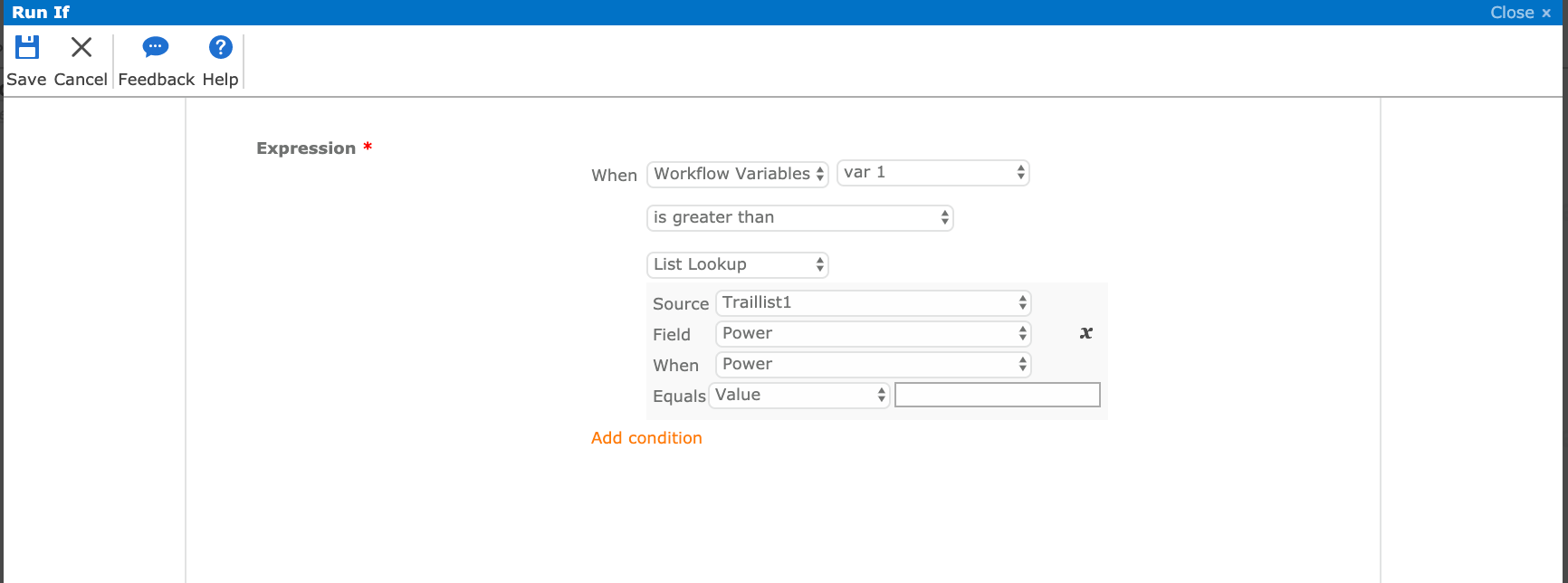
I have a list named "traillist1" and field named "power". I already made the workflow. I want an email to be sent only when "power" is greater than workflowdefined variable "var1"
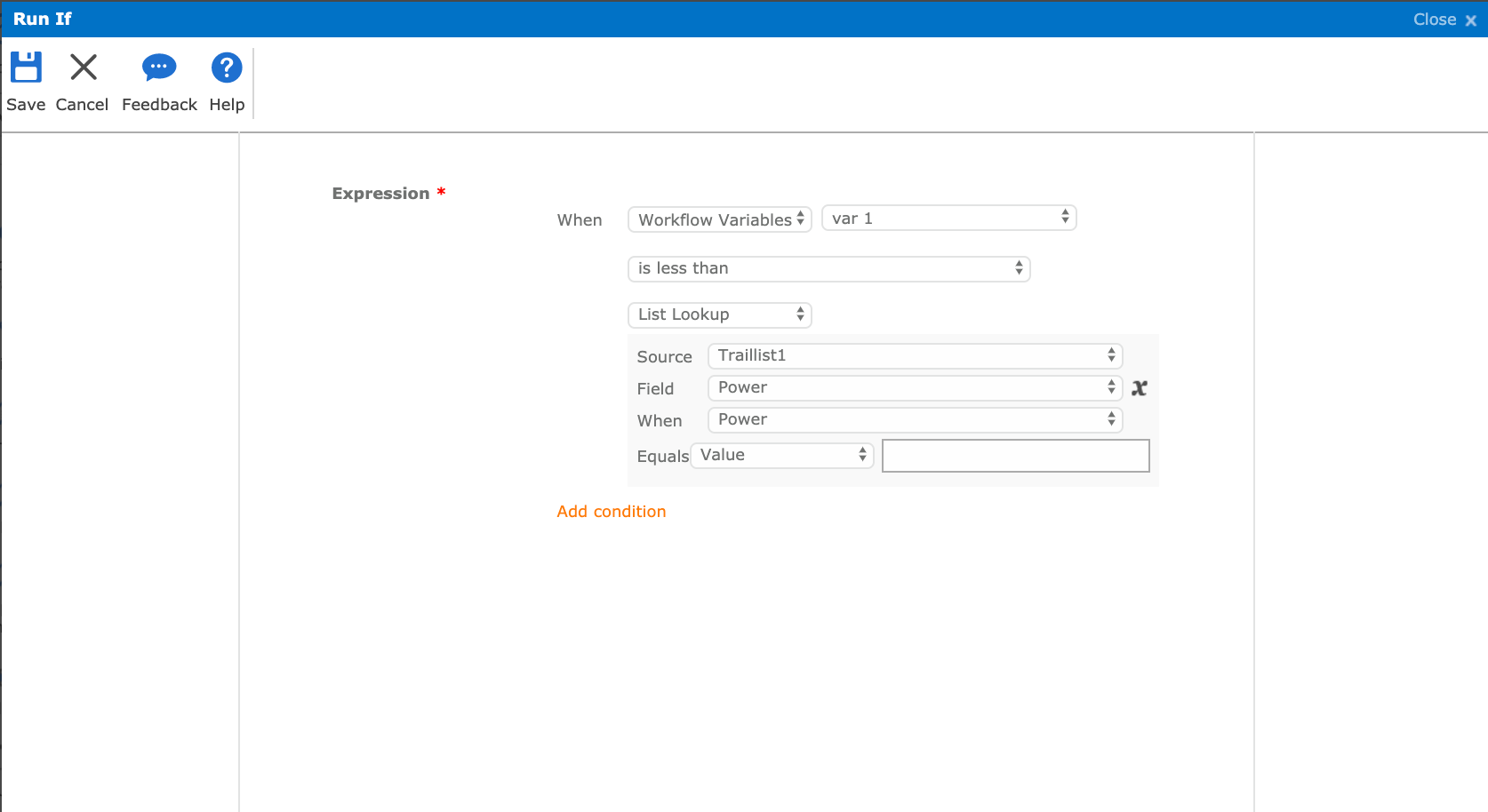
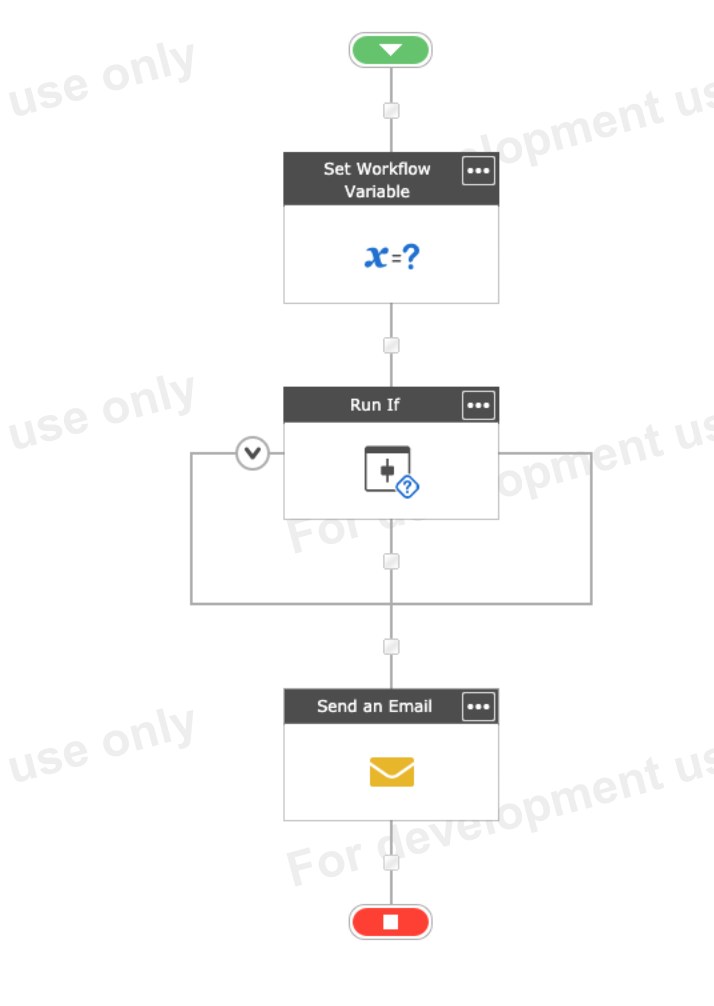
 

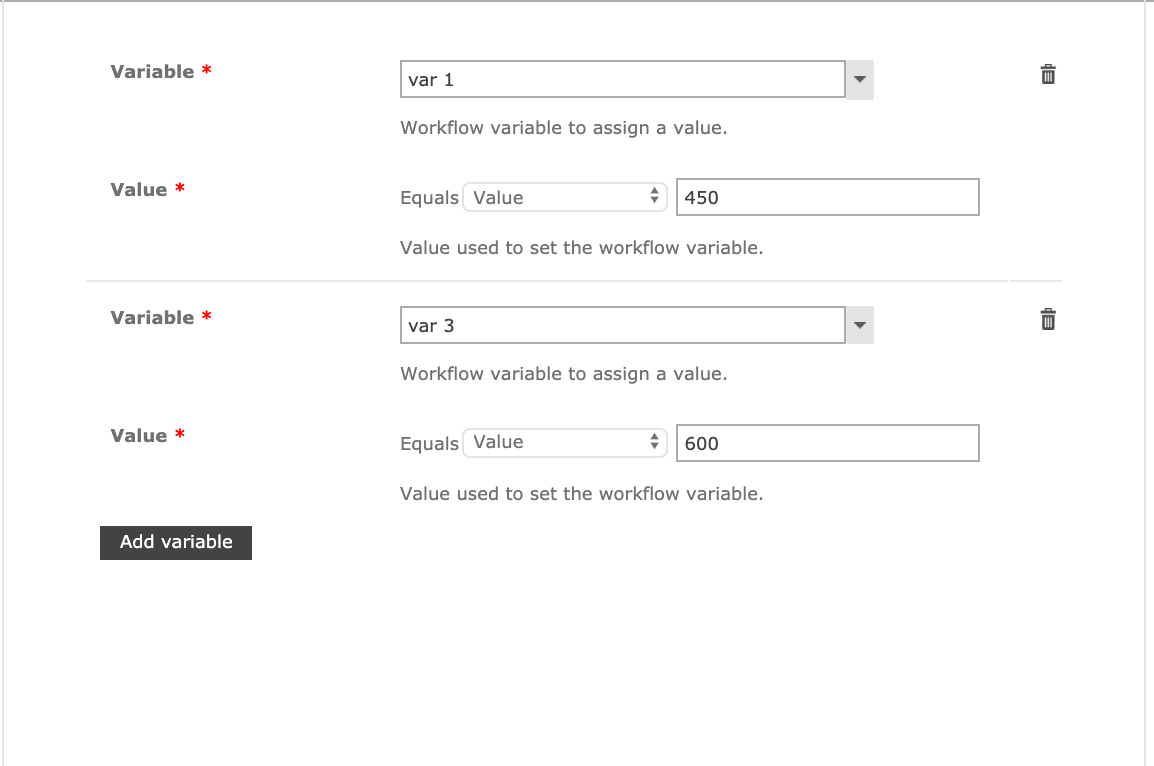
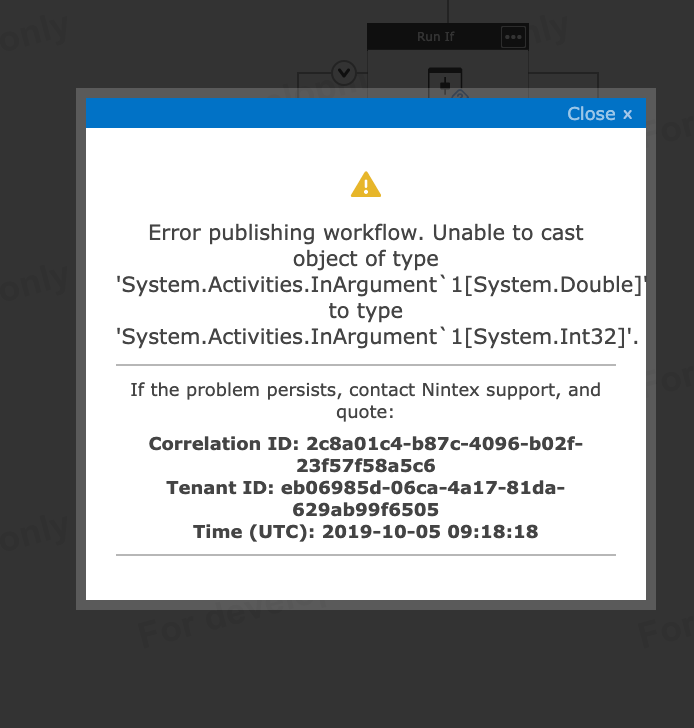
4867i62D2BFD9B2272C20.png4868i478BF132EEC055D3.png4869iDA40950D6D71ECD3.png

Best answer by SimonMuntz

Before the "Run if" you are setting your workflow variable "var 1".
Create a second variable that sets the value of the Power "var 2".
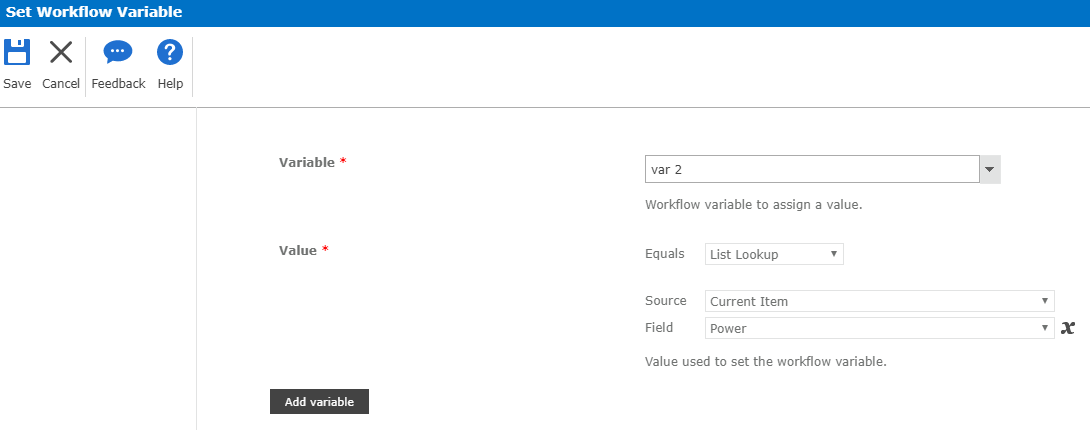
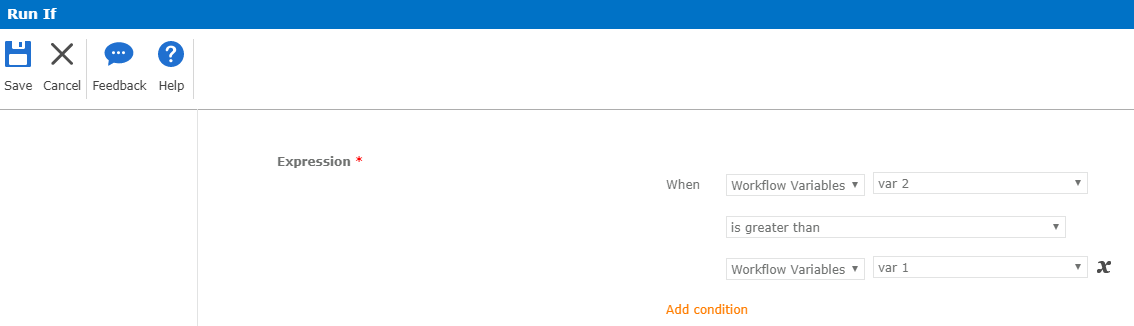
Then use both variables in your Run If. If var 2 (Power) is greater than var 1 (workflow variable) send email


4 replies

Forum|alt.badge.img+9
  • October 3, 2019
You need to make the following changes to your workflow:
1) Move the "Send an Email" action into the "Run If" block
2) Change the "Run If" condition to be "is greater than"

Forum|alt.badge.img+1
  • Author
  • October 5, 2019

I moved the email action into the action block. But i am still getting argument error. I think there is a problem in the 'run if' condition. I dont know what to fill in when "power" equals "value". I only want to send an email, when data entered through nintex form satisfies the condition of  "Power" is greater than defined workflow variable "var 1 ".


SimonMuntz
Nintex Employee
Forum|alt.badge.img+23
  • Nintex Employee
  • Answer
  • October 7, 2019

Before the "Run if" you are setting your workflow variable "var 1".
Create a second variable that sets the value of the Power "var 2".

Then use both variables in your Run If. If var 2 (Power) is greater than var 1 (workflow variable) send email


Forum|alt.badge.img+1
  • Author
  • October 14, 2019

Thank you, it worked.