
Nintex Community Menu Bar

o365 Nintex Workflow >> Set Field in Current Item

  • October 14, 2019
  • 3 replies
  • 22 views

Abhishekn
Forum|alt.badge.img+5

Hi,

I am trying to set Date Time Field by using the Set field in Current Item Action, 

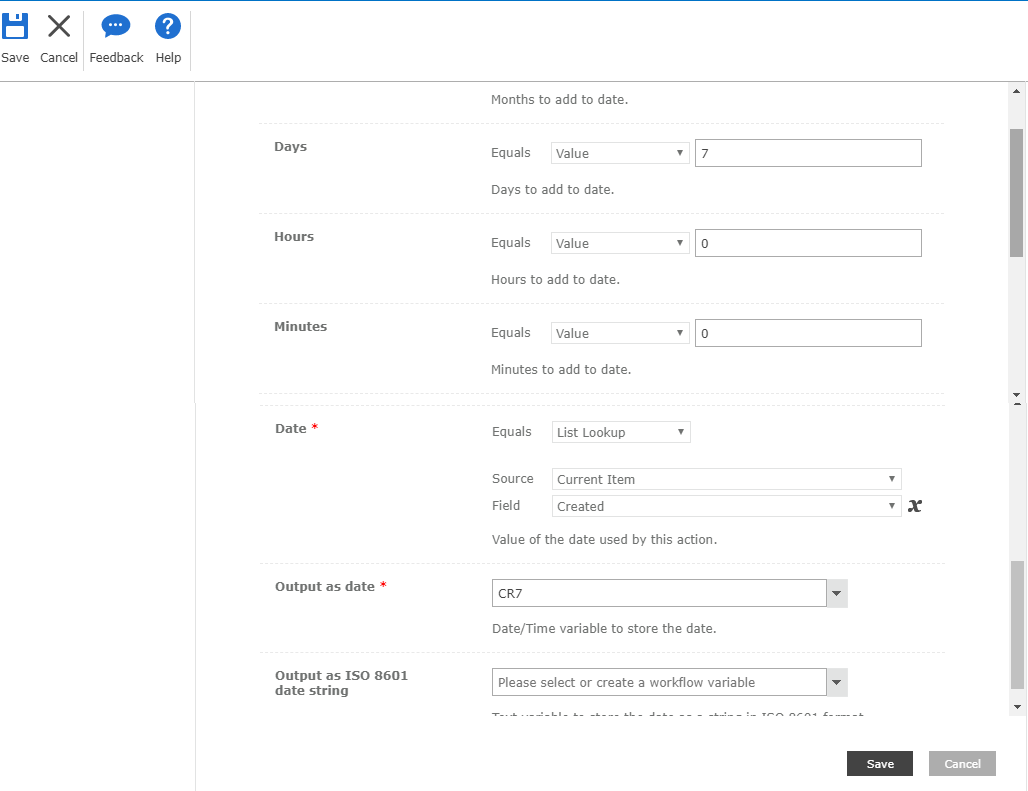
1. First i have Create one variable (DateTime) and Use Add Time to Date Action to Add 7 Days in Created Date

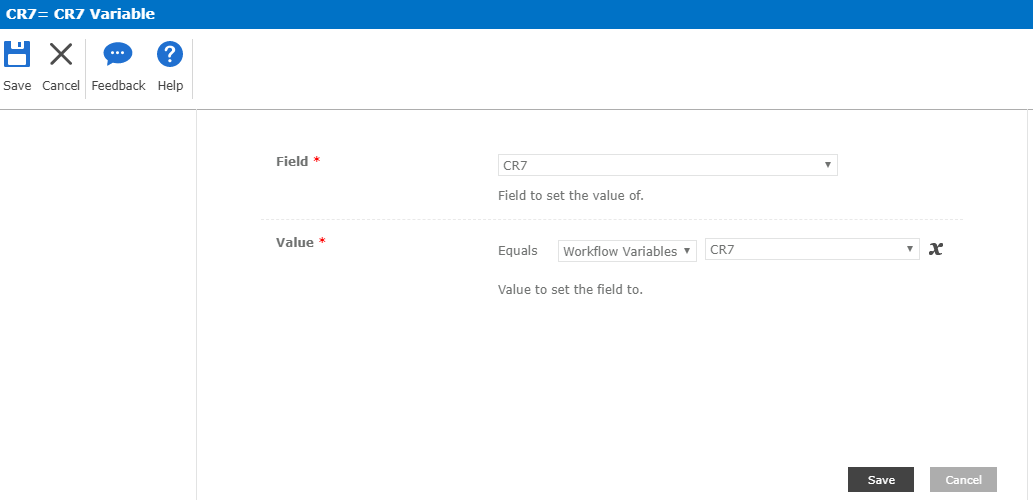
2. And Then setting the DateTime Variable in DateTime List Field.


Issue : Value are not setting in Field.


Need help on this issue.


Configuration Screenshot:
4944i0F51633BDC161D9B.png4945i56D3C909CE4978F1.png


3 replies

Forum|alt.badge.img+17
  • October 14, 2019

Based on your screenshot it looks like you're double setting the variable.  The add time to date action will push a value into the CR7 variable. From there you can use the update list item to push that value to a date field in SharePoint as needed. 


You dont need another det variable as the first one is being set by the workflow action. 


SimonMuntz
Nintex Employee
Forum|alt.badge.img+23
  • Nintex Employee
  • October 16, 2019
Hi,
I tested your workflow and for me it is working as expected.
Not sure why it is not working for you.

Abhishekn
Forum|alt.badge.img+5
  • Author
  • October 16, 2019

I am not Sure why Set Field In Current Item Action are not working, i have use the Update List Item Action. So Now it is Updating the Date Field, Thanks. Some Times i observed unexpected behaviour by Nintex Actions.