I have a form with a list lookup dropdown pointed to attendance pay periods (attached csv file). I was wondering if there is a way to automatically display the current period based on today’s date (Whichever period today is in) when you open a new form?
TIA
Dawn
Best answer by Jake
Hi @dperani
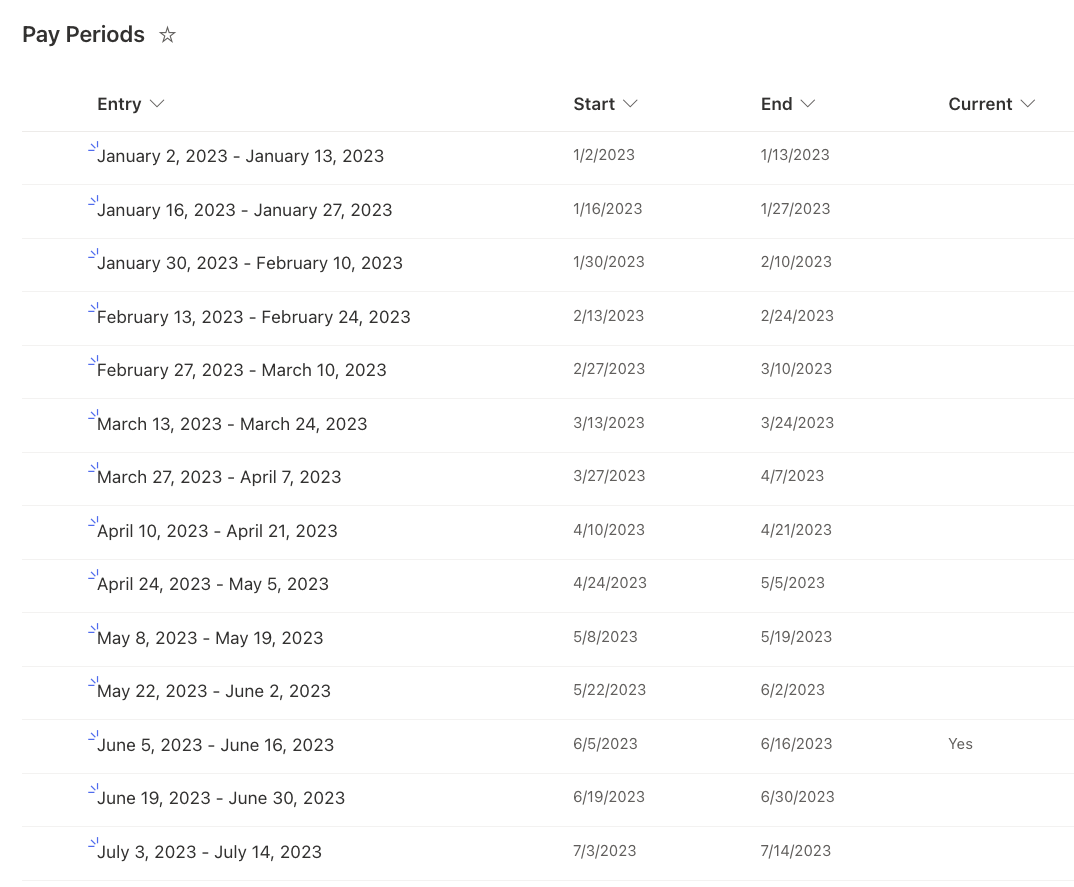
To do this you should expand on the lookup list to include dates we can query, for example I built a list that contains the start and end dates for the period and a calculated field to test if today falls within said dates.
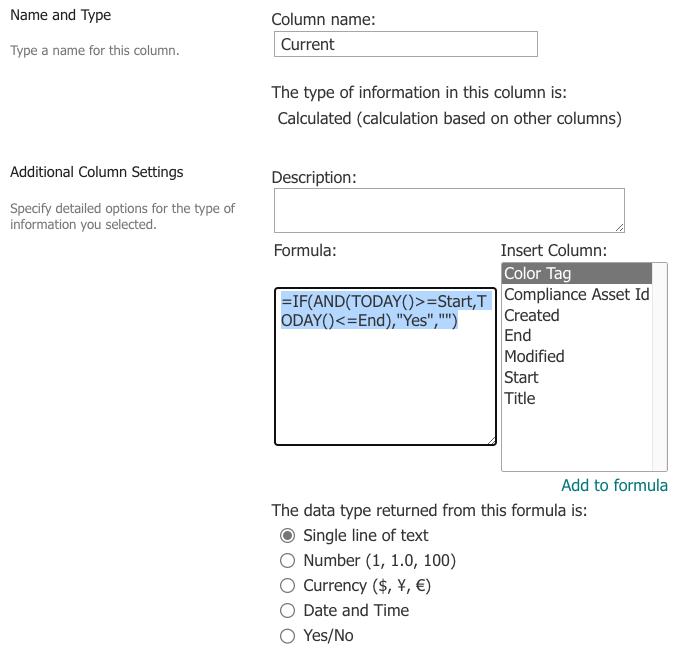
To build the calculated field you can use this formula: =IF(AND(TODAY()>=Start,TODAY()<=End),"Yes","")
Please configure the field as follows:
The important part is that it is a single line text returned from the formula, Yes/No does not work with lookup.
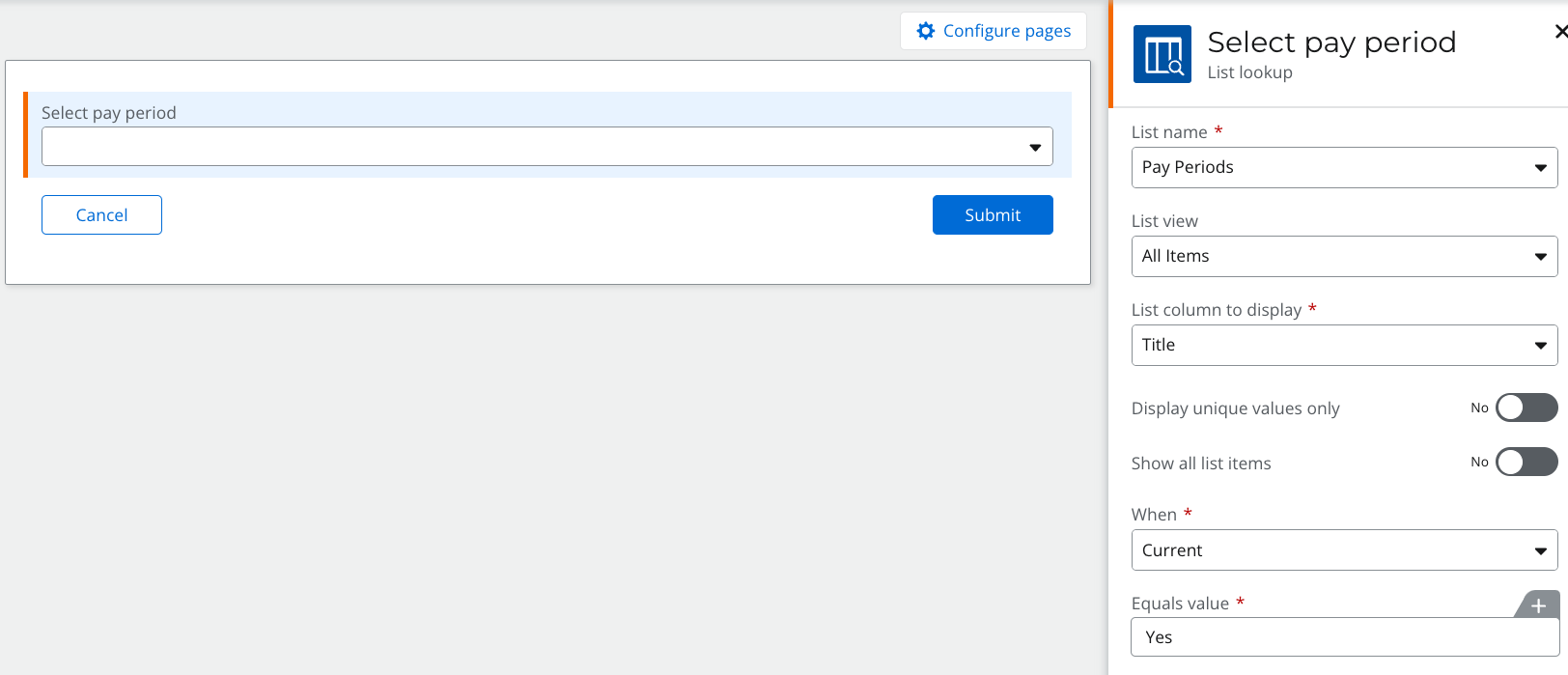
Now when you add the lookup control to the form you can configure it as follows:
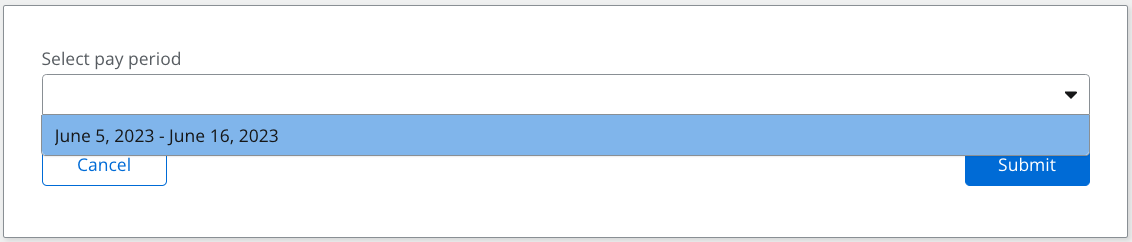
When configured it should only show the current pay period in the dropdown.
To do this you should expand on the lookup list to include dates we can query, for example I built a list that contains the start and end dates for the period and a calculated field to test if today falls within said dates.
To build the calculated field you can use this formula: =IF(AND(TODAY()>=Start,TODAY()<=End),"Yes","")
Please configure the field as follows:
The important part is that it is a single line text returned from the formula, Yes/No does not work with lookup.
Now when you add the lookup control to the form you can configure it as follows:
When configured it should only show the current pay period in the dropdown.