Nintex Community Menu Bar

conditional start office 365 Nintex

  • April 2, 2020
  • 3 replies
  • 21 views

Forum|alt.badge.img+4

Hi Guys,

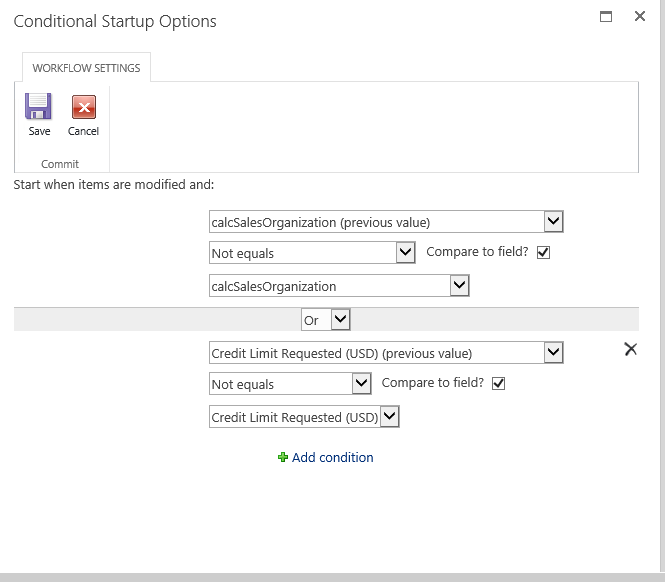
In Nintex on premise, the Workflow is conditionally started. while after migration to Nintex online, the previous values are not available. How this can be achieved. Looking for detailed steps.

7062iC29C94447A469592.png

3 replies

SimonMuntz
Nintex Employee
Forum|alt.badge.img+23
  • Nintex Employee
  • April 2, 2020
You could have the workflow start on creation and then check the conditions in the workflow and if they dont meet the conditions end but if they do then continue.

Forum|alt.badge.img+4
  • Author
  • May 27, 2020

Hi @SimonMuntz , you mean I have to create one more column with name previous value and then check against that column. When do I update the column?


allan
Forum|alt.badge.img+9
  • Rookie
  • May 29, 2020
Let's say you have 2 fields : "Current value" and "previous value".
On your form, only use "current value".
In your workflow use a "run if" action, with the condition : if current values is not equals to previous value, update previous value with current value and continue your process. Otherwise, end the workflow.
Keep in mind the user should not manually update "previous value", only the workflow should do it.