

Nintex Forms 2013 version: 2.11.8.0
I have an old form with some SQL requests controls in it which is working fine since months.
Suddendly I realized when I apply any change to the SQL Request control it's not going to work anymore and this also occurs on both existing SQL Request controls and new ones inside the form. So I guess the problem it's at form level. I have same behaviour in two different forms now and I don't know how to solve this.
You can realize that the form is corrupted by testing the RUN NOW function inside the SQL Request, at first try you test the query with some stored procedures parameters and it's not returning any result.
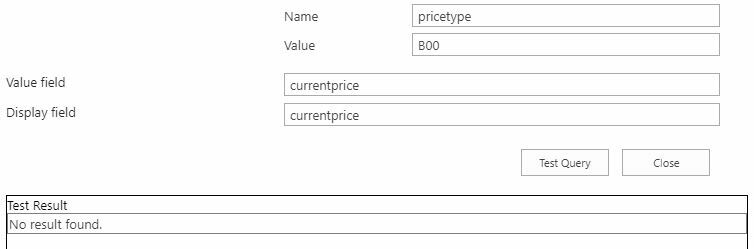
1 - Default PriceType = B00 no results:
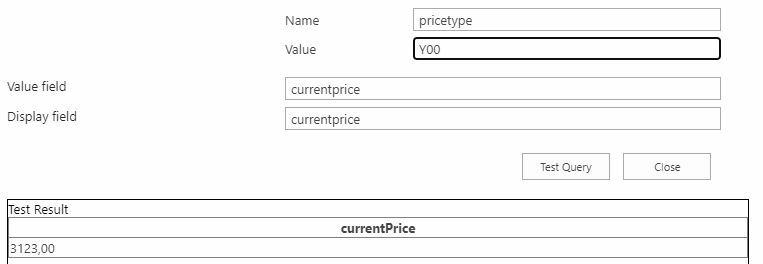
2 - I change PriceType = Y00 and I get the correct result:
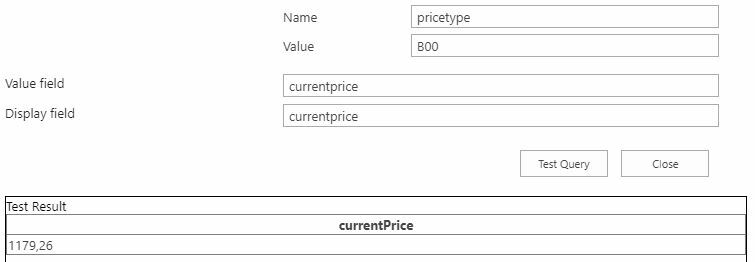
3 - I switch back PriceType = B00 and I now get the correct result:
Hope you can agree that this makes no sense at all, but when you face this behavior there's no way to have the SQL Requests controls it working again on either testing&published forms.
Any help is highly appreciated.



