Nintex Community Menu Bar

Process Instance Data and XML Fields Editor

  • September 29, 2015
  • 23 replies
  • 325 views
  • Translate All

Forum|alt.badge.img+9

This tool will allow you to view and edit the values of an active process instance Data and XML Fields.


Instructions:


1. Extract the contents from the zip file to a folder on the K2 blackpearl server.


2. Run K2ProcInstDataFieldsEditor.exe


Tested on K2 4.6.9 to K2 4.7


Changelog

2.0.2

- Fixed bug where update and refresh buttons wouldn't show

2.0.1

- Fixed bug where the tool would crash after connecting to server

2.0.0

- Added XML fields editing capability

 

23 replies

Forum|alt.badge.img+11

@ZiqingGreat job. Any plans to add least some basic documentation to this tool? Also I'm wondering why it is not possible to update the child process data field for a child process which was started using IPC event? The tool just does not show the update button for such instances.

Translate

  • November 3, 2016

Thanks, great work. But why we can not update the child process data field??

Translate

  • Nintex Partner
  • November 3, 2016

I am also not seeing an Update button for child processes started by IPC event.

Translate

Forum|alt.badge.img+9
  • Author
  • November 14, 2016

@Mikhail I will try to create a basic guide when I have the time, probably will build into the tool itself. As for the IPC event child process data field, I got no idea it does that, I will look into it soon. Thanks for the feedback.

Translate

Forum|alt.badge.img+11

@Ziqing API for updating data fields should work the same way for parent/child process, so it would be nice if you will be able to check this from your side and see why we can't do it in this case.

Translate

Forum|alt.badge.img+6
  • March 13, 2017

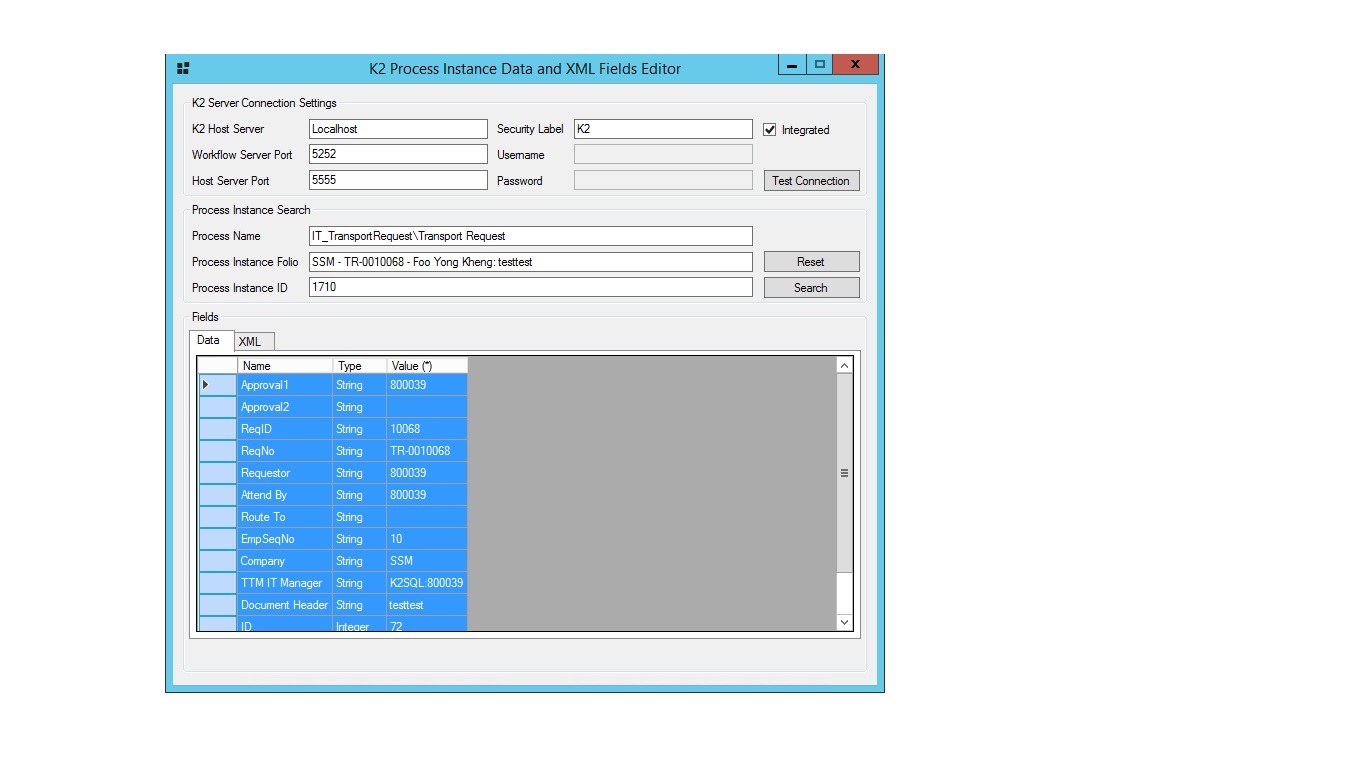
Hi @ziqing,


Is there any execute button to execute? After i had input the value and press enter.


When i search back, the data still remain and not change.


Thank you.

Translate

Forum|alt.badge.img+11

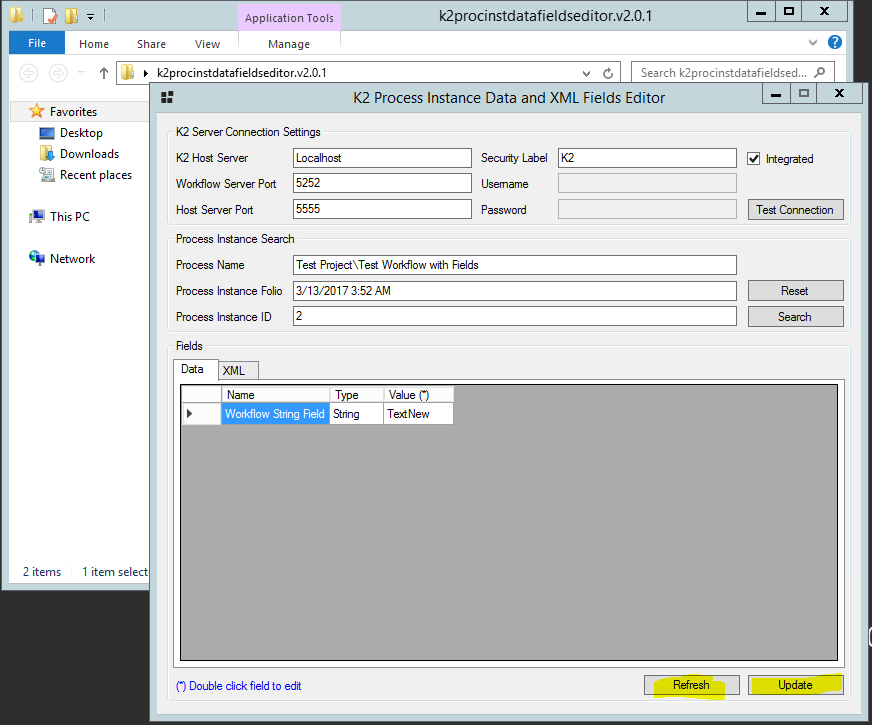
@foo_yk In theory you just double click on value, edit it, then hit Update button in the bottom right corner - just tested it works for me, and you can see new value immediately and also either after clicking Refresh button or after searching back as you put it.


Though XML fiel editing fails with K2 4.7...

Translate

Forum|alt.badge.img+6
  • March 13, 2017

Hi @Mikhail,


The same version V2.0.1?


I do not have Update button in the bottom right.


Thank you.

Translate

Forum|alt.badge.img+11

This is how mine looks like:


Could it have something to do with multiple fields or your rights on the instance/process level maybe?

Translate

Forum|alt.badge.img+4

Also not seeing the update button. Any way around this?

Translate

Forum|alt.badge.img+9
  • Author
  • March 27, 2017

Hi all,


Sorry for the lack of updates, I fixed the bug where it doesn't show the update and refresh buttons. The new version 2.0.2 of the tool should be working fine now. Apologies for any inconvenience caused.


Cheers,


Ziqing

Translate

Forum|alt.badge.img

Hi


Any change we could get the source code. I need to make some modifications i get a object ref exeption with the workflow has refrence to Sharepoint Objects.


Kind Regards

Shawn

Translate

Forum|alt.badge.img+11

I think question about possibility of getting source code of this utility should go to  @Ziqing, and if any community project shared withot source code, then I think you can count on author helping out a bit with fixing project issue from his side without sharing source code...

Translate

Forum|alt.badge.img+10

Worked great. Thanks!!

Translate

 I am having problem downloading the code. Is anyone else running into the same issue

An invalid set of parameters has been specified in the url.

Translate

I was able to download. 

Translate

Works great. Thank you for sharing this. 

Translate

Has anyone had any luck getting this to work with K2Five?

Translate

Forum|alt.badge.img
  • September 3, 2018

This is a great tool thanks!


Is there a tool for updating a Folio? That would also be very helpful

Translate

Forum|alt.badge.img+7
Best regards,
Olivier    
Translate

Forum|alt.badge.img+4

I have a need to programatically update the data fields for all instance of a workflow process, regardless of who they are currently allocated to. Seems this utility does this, but obviously only one by one. I get an error when using OpenWorkListItem for any instance not currently allocated to the account I’m running under. Does anyone know how to work around this, or how this utility is able access the data fields of any process instance?

Translate

Forum|alt.badge.img+4

This seems to be the answer to my access issue:

Open the process instance directly, rather than through the client work list item. I’m getting the process instance id’s via the SourceCode.Workflow.Management WorklistItems.

Translate

Hi all


I am trying to open this tool which is already there in Prod env but its throwing connection error,please help what I am missing

Translate