Nintex Community Menu Bar

Microsoft Ribbon

  • March 30, 2020
  • 3 replies
  • 25 views

Forum|alt.badge.img+1

Up until a few days ago, I was utilizing the code below to hide the Microsoft ribbon and left Nav on my Nintex Forms.  Apparently Microsoft made a change to the ribbon and now the ribbon code doesn't work (hiding of left Nav still works).  Does anyone have any ideas as to what the new code is?  I am using on prem SharePoint 2013 and Nintex 2013.  


Thanks in advance.


// Hide the form ribbon

NWF$("#s4-ribbonrow").hide();

// Hide the left navigation

NWF$("#sideNavBox").hide();

//NWF$("#contentBox").css({"margin-left":"0px"});

3 replies

Forum|alt.badge.img+8
  • Novice
  • March 31, 2020

Hi,

maybe not a CSS solution but it works.

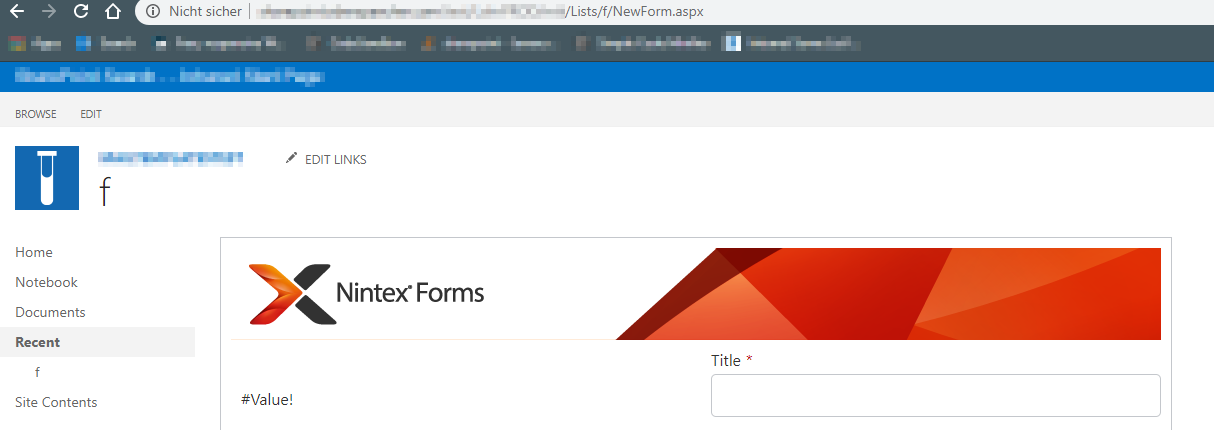
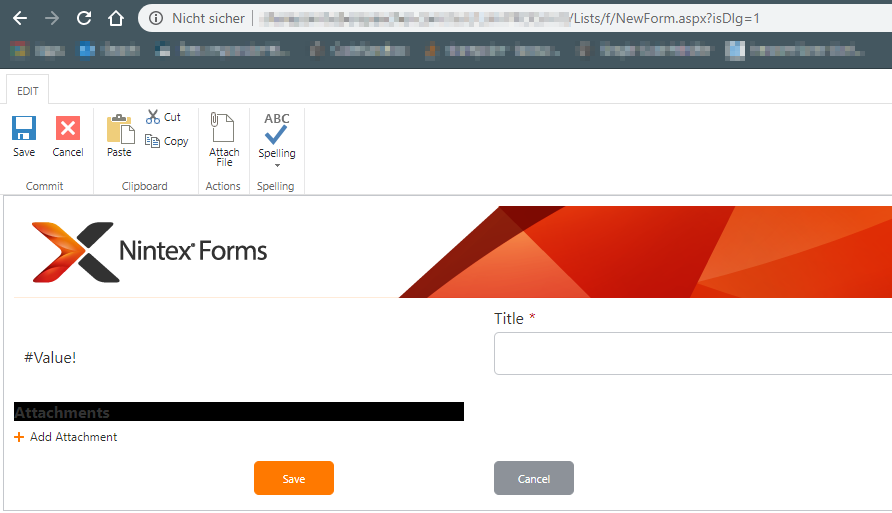
If you open a form with "isDlg" parameter in the url, the sidebar and top bar are hidden.

For example:


No isDlg:

7040i9A2AFE923D9723C1.png


With isDlg=1:7041iE91ECCCCC04EAD8A.png


Forum|alt.badge.img+1
  • Author
  • April 3, 2020

Thanks for the response.  However, that was not an acceptable solution.  Working with Nintex, we tracked down this JavaScript solution to hide the ribbon.


NWF$(document).ready(function() {

   // Hide the form ribbon

   NWF$("#s4-ribbonrow").hide();

});


Forum|alt.badge.img
  • September 9, 2020
thanks this worked!