Nintex Community Menu Bar

Error : A database error occurred : The transaction log for database 'K2' is full.

  • October 29, 2012
  • 5 replies
  • 66 views

Forum|alt.badge.img+5

Hi,


I am getting below error when i try to deploy process through K2 Designer For Visual Studio.


Error 1 A database error occurred : The transaction log for database 'K2' is full. To find out why space in the log cannot be reused, see the log_reuse_wait_desc column in sys.databases.


In Application Event Viewer i found below error:


K2LogServer::ServerThread: 24129 A database error occurred : The transaction log for database 'K2' is full. To find out why space in the log cannot be reused, see the log_reuse_wait_desc column in sys.databases


Did anyone get this error?


Please suggest me the steps to resolve this error....


Regards,


Reddy

5 replies

Forum|alt.badge.img+11
  • November 6, 2012

You can shrink the transaction log file if you change the recovery mode from full to simple, using following commands: 


ALTER

DATABASE
myDatabase
SET


RECOVERY SIMPLE


DBCC
SHRINKDATABASE
(
myDatabase
,

5
)


then you switch back to full recovery


ALTER

DATABASE
myDatabase
SET
RECOVERY
FULL


Forum|alt.badge.img+4
  • April 29, 2014

Hi gsreddy,


Space permitting, I would recommend that you just increase the size of your log file for now. The article shows how you can increase the file size using SQL Management Studio or a Transact SQL statement. For more information please see the following article: http://technet.microsoft.com/en-us/library/ms175890.aspx.

Alternatively, if you are running low on space, you can add another log file to the DB and point it to a different location. For more on this, please see: http://technet.microsoft.com/en-us/library/ms175890.aspx.

Simply setting the log file growth to unlimited, should get you past the problem. But, I would start thinking about performing some DB maintenance in the semi-near future. Here is a nice little article that explains a couple of backup stratagies: http://technet.microsoft.com/en-us/library/ms191239(v=sql.105).aspx


Forum|alt.badge.img+3


Production Database:
1- Database Must be in Full Mode Option.
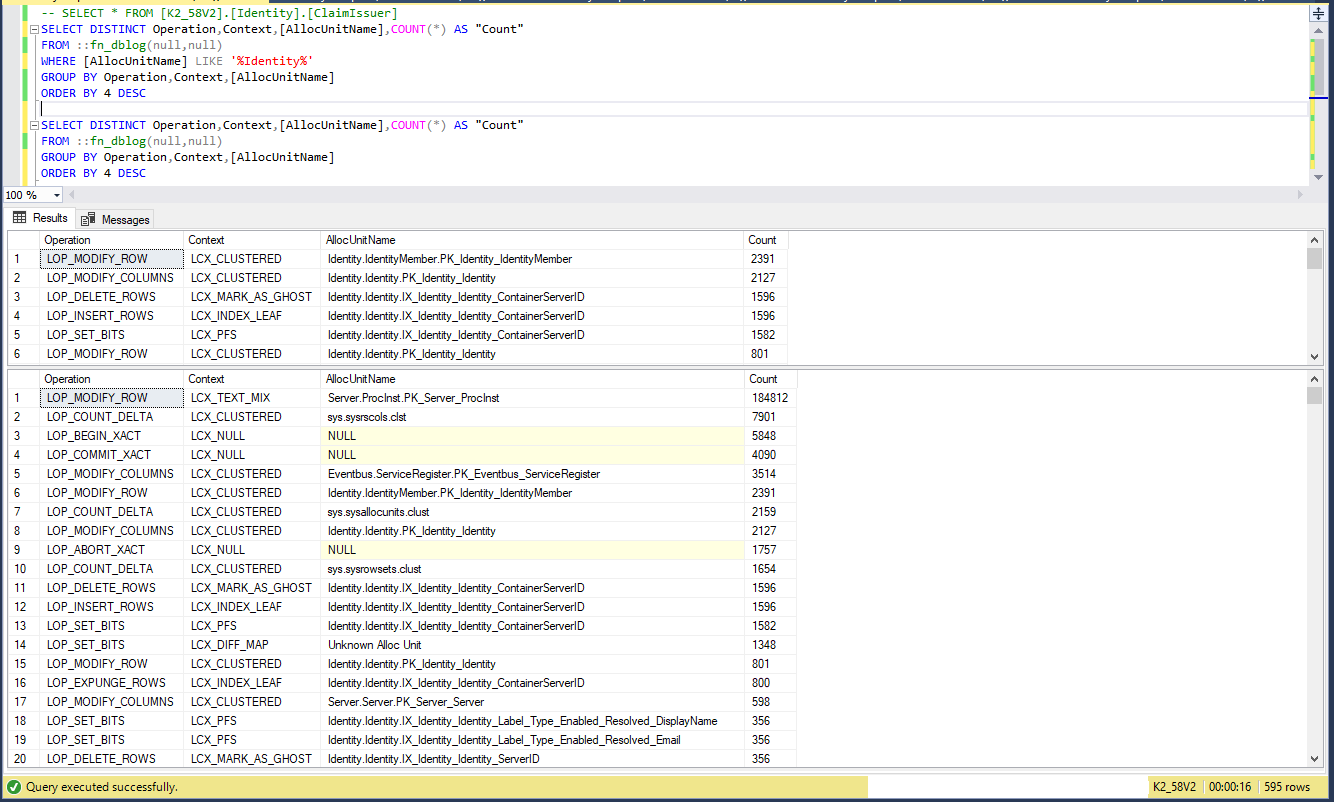
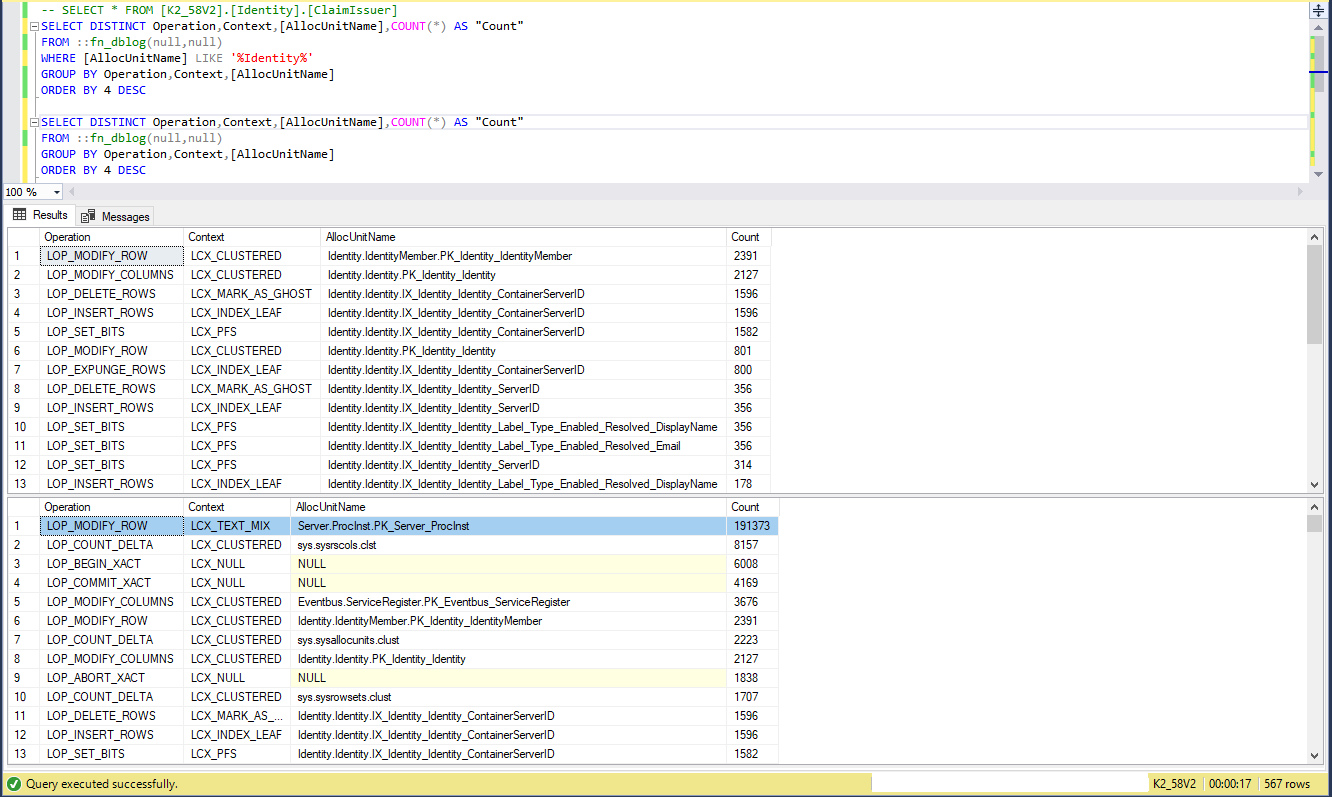
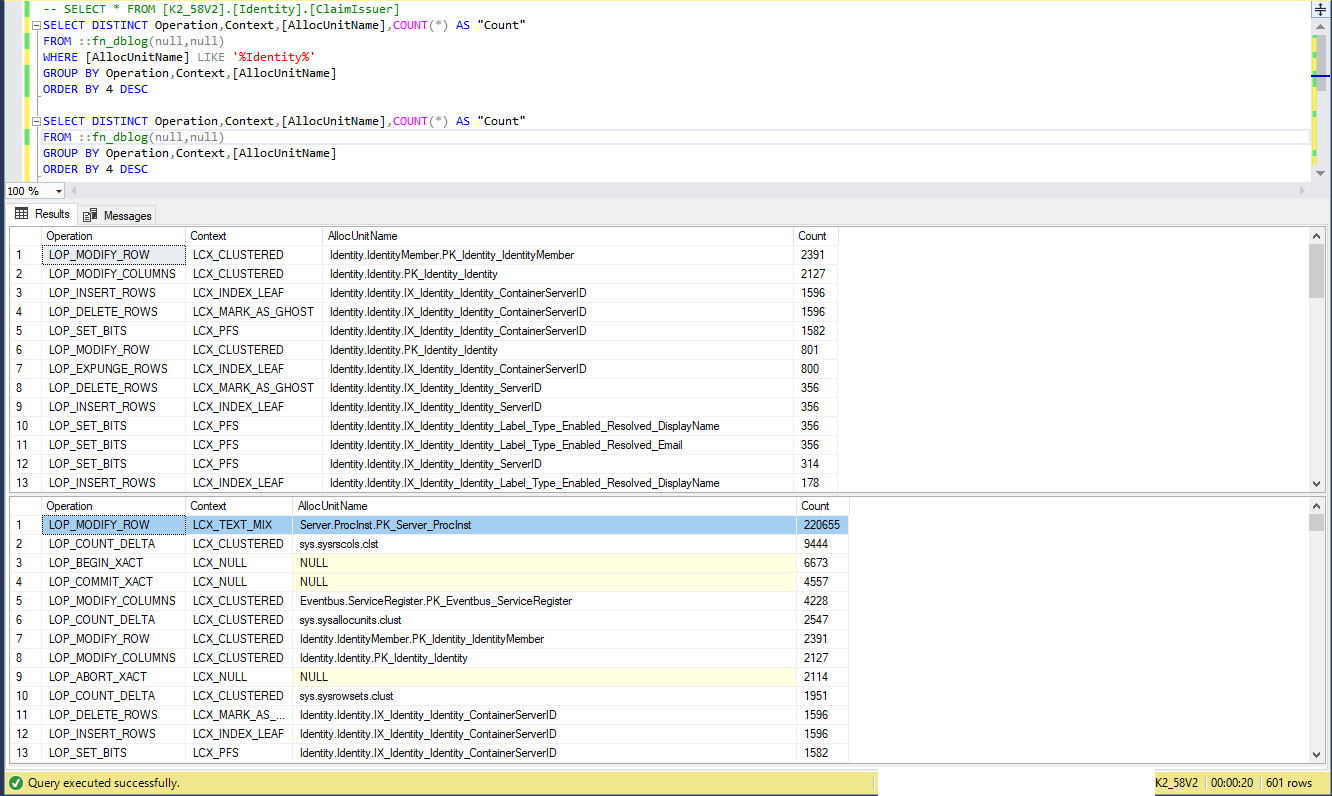
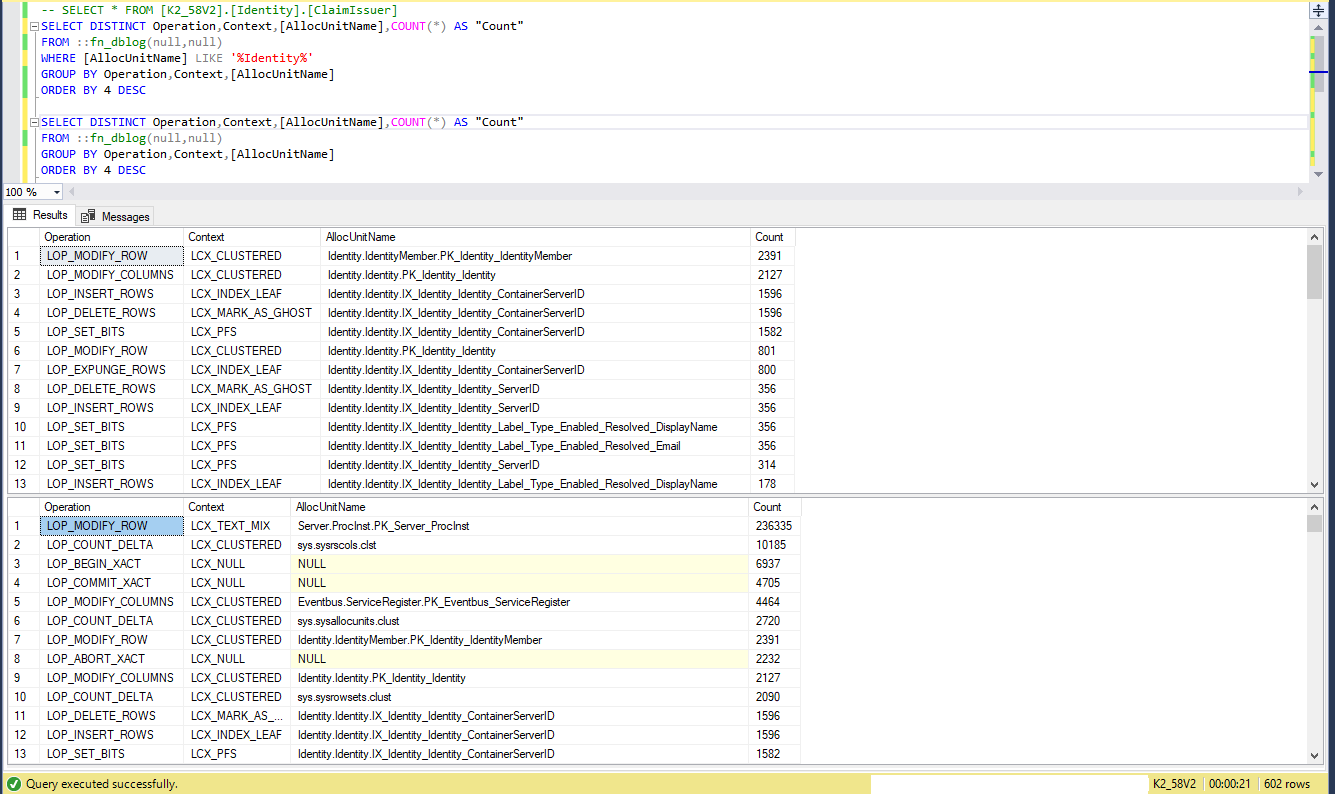
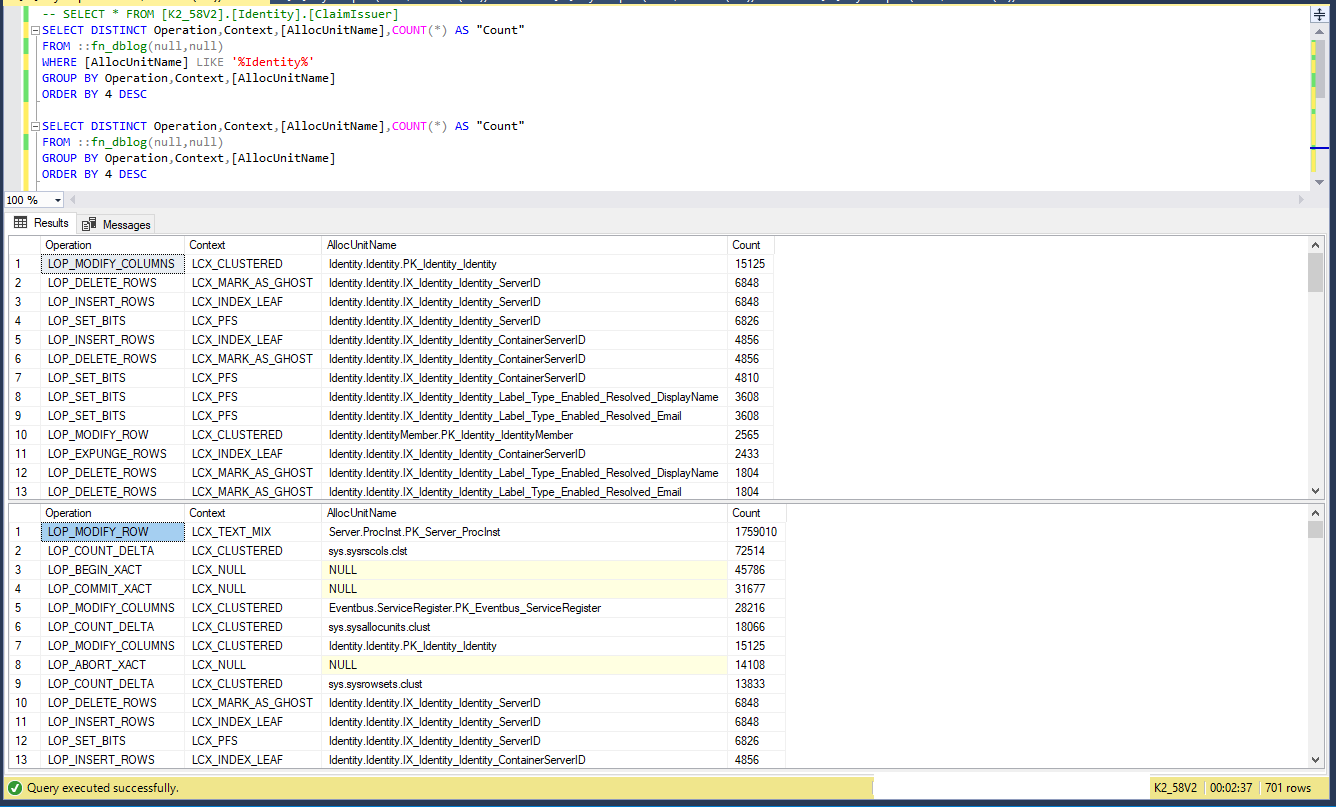
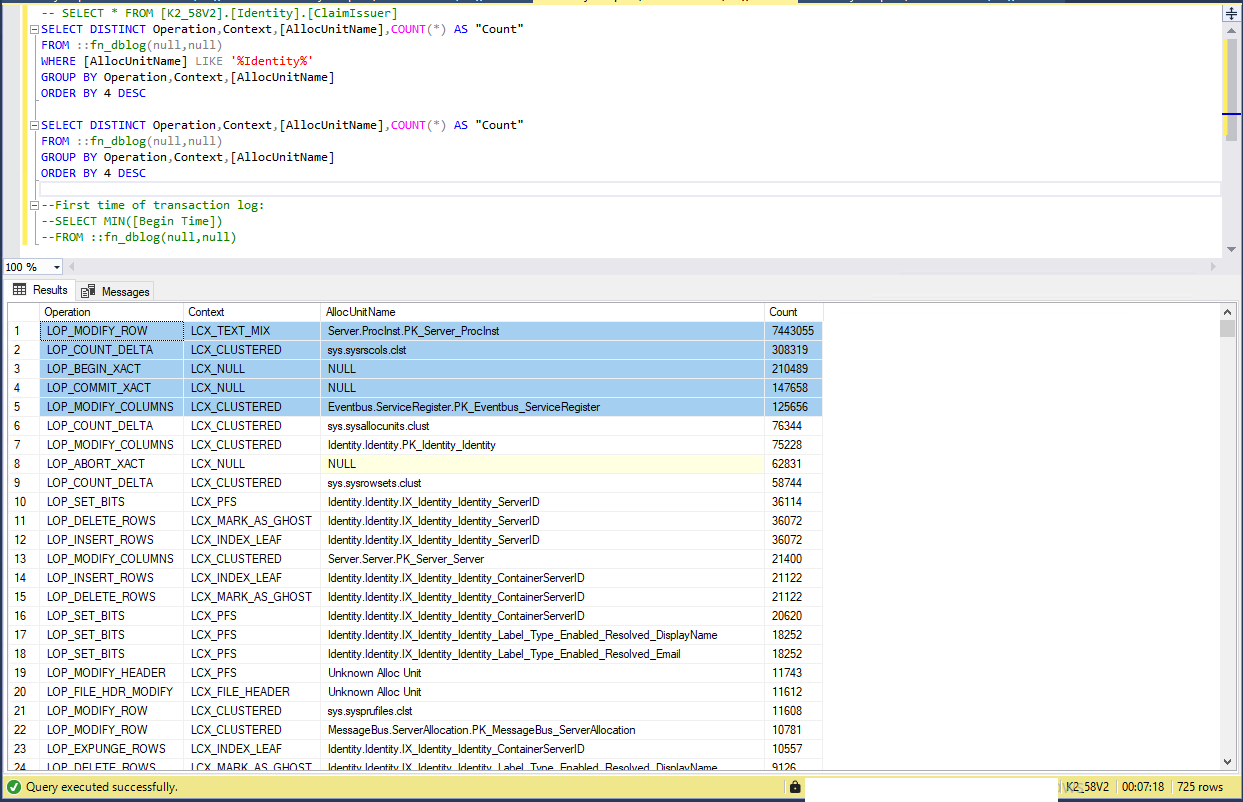
2- This is trace of how transaction database grow rapidly.

Finally: we need straight forward best practice for this PROBLEM, and if it is not K2 thing,
we need the not K2 thing solution to solve The K2 PROBLEM.


Forum|alt.badge.img+3


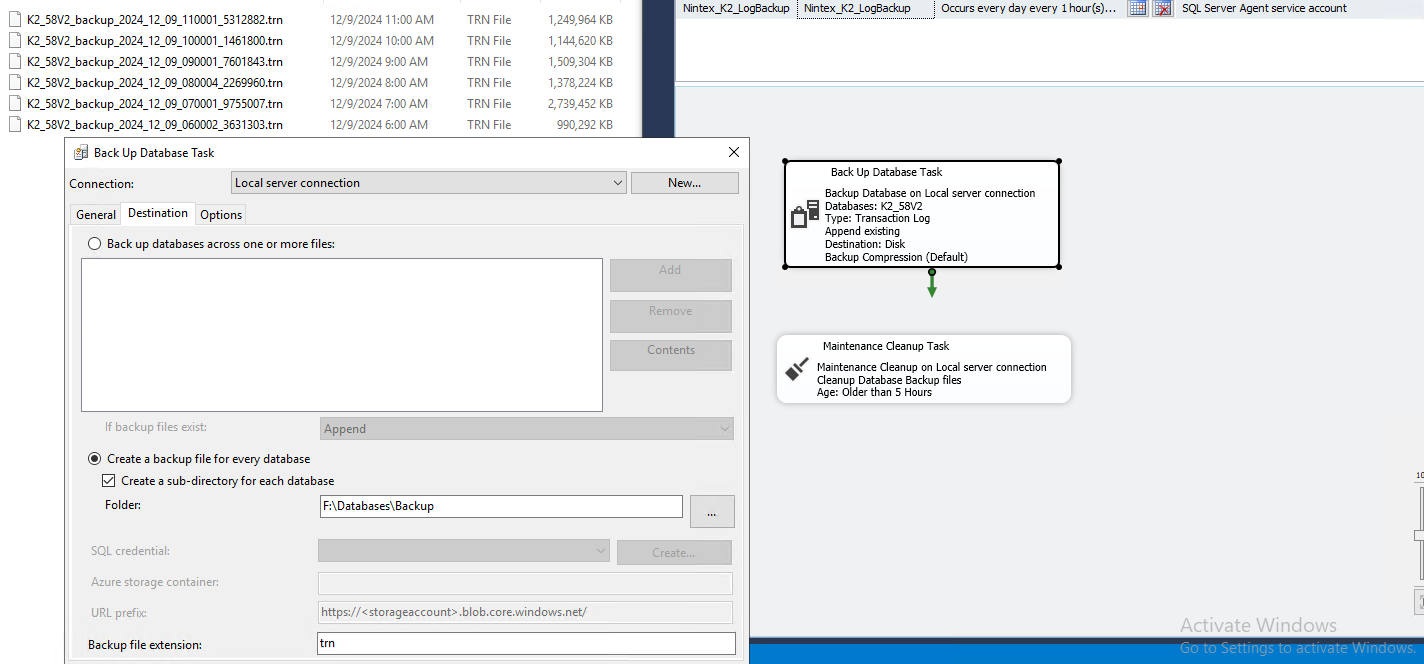
As a temporary solution, create schedule job backup transaction database log every one hour, and create another schedule to delete trn files every 5 hours or set time.

schedule job to create trn and another schedule to delete trn files


OlivierC
Nintex Employee
Forum|alt.badge.img+6
  • Nintex Employee
  • September 1, 2025


You can check with your DBA for confirmation if needed.
You can follow manual shrink advice by these sites but it will need lot of manual steps:
Change SQL from Full Recover to Simple Recovery Model | GoEngineer
https://www.goengineer.com/blog/change-sql-from-full-recover-to-simple-recovery-model
Truncate and shrink log files in SQL Server (rackspace.com)
https://docs.rackspace.com/docs/truncate-and-shrink-log-files-in-sql-server
Shrink Logs for a Database in Single Recovery mode - Microsoft Q&A
https://learn.microsoft.com/en-us/answers/questions/1181664/shrink-logs-for-a-database-in-single-recovery-mode

To be quicker, you can execute this script to get advice statement to do the change from recovery mode simple if needed, and change it again to full after SHRINKDATABASE command, for all your DB of your SQL server instance. At least follow it for the K2 one:

DECLARE @dbname VARCHAR(100)
DECLARE @dbRecoveryType VARCHAR(100)
DECLARE @dbid INT

DECLARE curDatabases CURSOR FOR
SELECT name, database_id,databases.recovery_model_desc
FROM sys.databases
WHERE name NOT IN ('master', 'tempdb', 'model', 'msdb')
AND Name = DB_NAME() --You can remove this to shrink all your database of your SQL server instance.

OPEN curDatabases
FETCH NEXT FROM curDatabases INTO @dbname, @dbid,@dbRecoveryType
WHILE @@FETCH_STATUS = 0 BEGIN
BEGIN
DECLARE @dbfilename VARCHAR(100)
PRINT 'PRINT '''''
PRINT 'PRINT '''''
PRINT 'PRINT ''DB ' + @dbname + ''''
PRINT 'USE MASTER'
PRINT 'GO'

IF (@dbRecoveryType!='SIMPLE') BEGIN
PRINT 'ALTER DATABASE [' + @dbname + '] SET RECOVERY SIMPLE WITH NO_WAIT'
PRINT 'GO'
END

PRINT 'USE [' + @dbname + ']'
PRINT 'GO'

DECLARE curFiles CURSOR FOR
SELECT name
FROM sys.master_files
WHERE type = 1
AND database_id = @dbid

OPEN curFiles
FETCH NEXT FROM curFiles INTO @dbfilename
WHILE @@FETCH_STATUS = 0 BEGIN

PRINT 'DBCC SHRINKFILE ([' + @dbfilename + '], 1)'
PRINT 'GO'

FETCH NEXT FROM curFiles INTO @dbfilename
END
CLOSE curFiles
DEALLOCATE curFiles

PRINT 'PRINT ''SHRINKDATABASE '''
--DBCC SHRINKDATABASE (N'K2')
PRINT 'DBCC SHRINKDATABASE (N''' + @dbname + ''')'

IF (@dbRecoveryType!='SIMPLE') BEGIN
PRINT 'ALTER DATABASE [' + @dbname + '] SET RECOVERY ' + @dbRecoveryType
PRINT 'GO'
END

--If it's not a production environment or the customer don't want to use the functionality of SQL server to get back to DB state to a particular time, you can set finally the recovery model to Simple:
--PRINT 'ALTER DATABASE [' + @dbname + '] SET RECOVERY SIMPLE'
--PRINT 'GO'
PRINT ''
END

FETCH NEXT FROM curDatabases INTO @dbname, @dbid,@dbRecoveryType
END

CLOSE curDatabases
DEALLOCATE curDatabases