Nintex Community Menu Bar

Workflow Conditional Start not working

  • Mar 23, 2020 5:25 PM UTC
  • 6 replies
  • 456 views
  • Translate All

Hello all,


  • I am very new to Nintex workflow. I have a workflow here that is supposed to be triggered when the user has added some equipment.


  • Upon adding equipment to the form, and submitting it, it will change the value of an InfoPath form field called 'EQStatus' from 'Status: To be Submitted by User' ->  'Status: Pending Approval'.


  • I would like the workflow to only execute when the user has added a piece of equipment. I know that this can be done through conditional start.


This is what I have created so far:
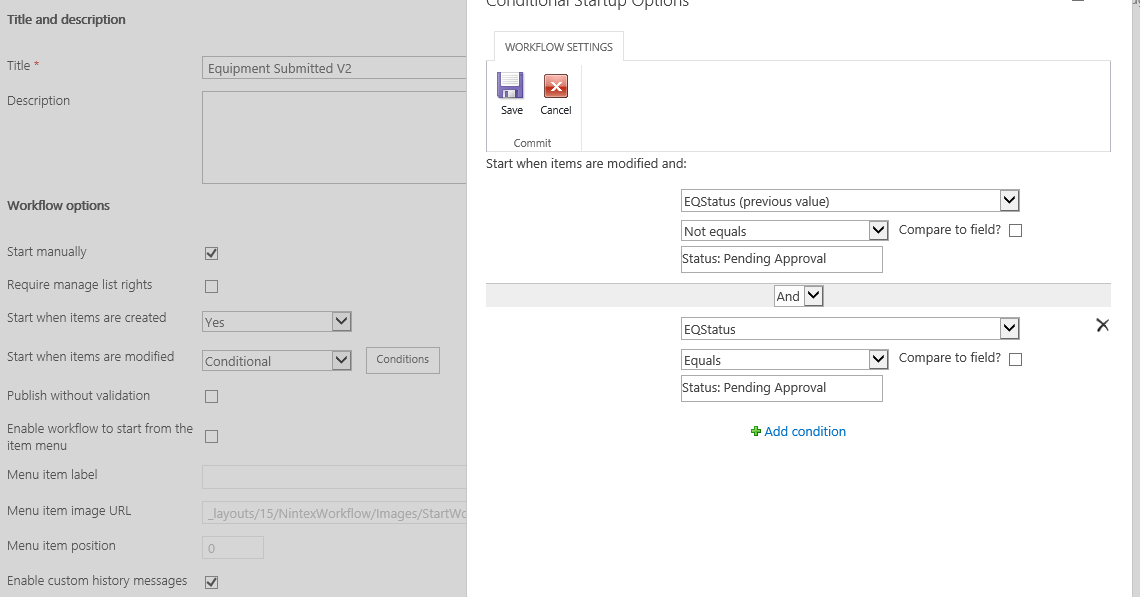
6917i847F0D9CB2F2E56A.png


The workflow does not seem to be executing when the user modifies the form after saving it. I would get a notification if it would come through.

Any tips?


Kind Regards,

Devin

 

6 replies

Simon Muntz
Nintex Partner
Forum|alt.badge.img+23
  • Nintex Partner
  • Mar 23, 2020 9:53 PM UTC
Hi,

I have seen issues inthe past where InfoPath forms do not trigger conditional start workflows.
To test if this is the issue try editing the item using quick edit and see if the workflow triggers then.

Try using just one condition and testing in case there is an issue with one of the conditions.
Translate

  • Author
  • Mar 24, 2020 10:10 AM UTC

Hi Simon,


Thanks for your help.

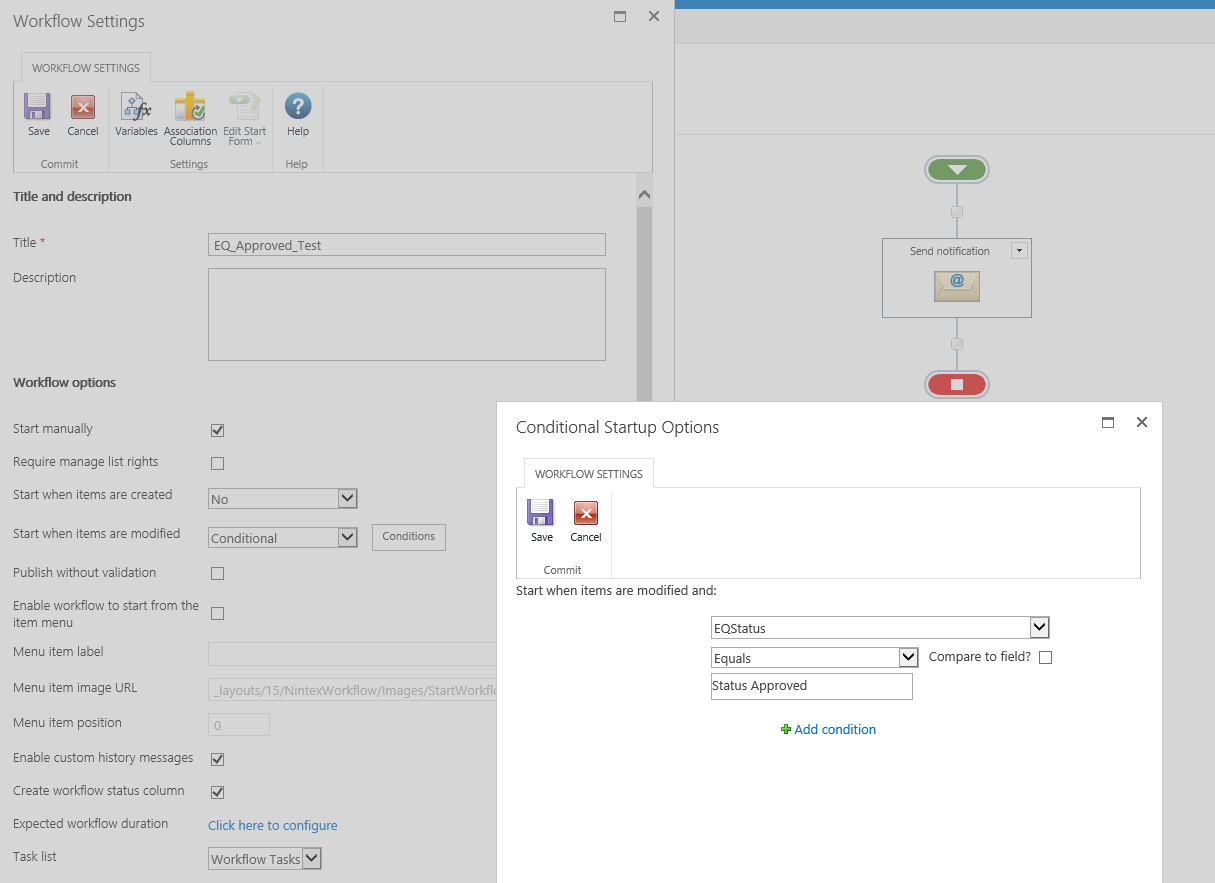
So I created a test workflow, which is very simple. One condition which checks if a field (EQStatus) is set to 'Status Approved', and if so, should send a notification.  This workflow is not working...


Translate

Simon Muntz
Nintex Partner
Forum|alt.badge.img+23
  • Nintex Partner
  • Mar 24, 2020 9:21 PM UTC
If you create a workflow that starts on item modification without a condition does that work?
Translate

Forum|alt.badge.img+3
  • Novice
  • Aug 25, 2021 5:02 PM UTC

This issue seems to be a recurring problem looking at all the submissions.  This issue started happening for all my workflows this week.  No matter what I do to conditionally start the workflow is wont trigger.  I followed all the tricks users submitted and still not working.  If I remove the Conditional and just use on Modification, it works fine.  Need help resolving this issue.  I dont want to have to put "Run if" in all my workflows and use cycles of time to run a workflow for nothing.  Please help resolve.  Using Nintex 2019, on prem, current July 2021 release.

Translate

Forum|alt.badge.img+2
  • Nintex Partner
  • May 2, 2024 6:15 PM UTC

Has anyone resolved this issue. I have had immense problems with this product. We are also using Nintex 2019, on prem unfortunately.

Translate

MegaJerk
Forum|alt.badge.img+14
  • Scholar
  • May 10, 2024 5:30 PM UTC

if you haven’t found a solution on the forums, I would recommend opening a ticket via the Nintex Customer Portal (https://customer.nintex.com/) 


Translate