Nintex Community Menu Bar

Using Custom JavaScript Libraries

  • October 5, 2015
  • 3 replies
  • 98 views

Forum|alt.badge.img+4

Is it possible to utilize custom JavaScript Libraries within a SmartForm, without the need for creating a custom control? For example I'm trying to create a navigation menu using jQuery and a MegaMenu library (CodyHouse Mega Menu)


 

3 replies

Forum|alt.badge.img+7
  • January 7, 2016

@LT_Jason, 


Is it possible to utilize custom JavaScript Libraries within a SmartForm without the need for creating a custom control?


Yes, but I find it difficult to use the tiny window of a data label to use with excessive code, but that is a personal preference, I would recommend writing and testing code somewhere else and only adding it to the smartform (datalabel, expression) when it all works. 


To test out if it works I used a simple JQuery example from W3Schools, Hide_Show


Created a view with a 1X1 layout. 


Added a single data label, added an expression to the datalabel


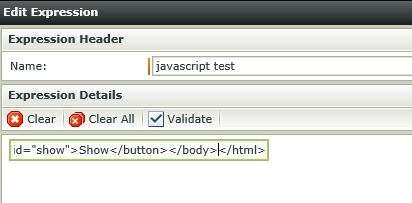
Copy and Paste all the code into the box of the expression (Why I would not write this much code in a smartform directly, only a tiny bit is viewable):


More code does show in the Preview Pane at the bottom:


Once the code is in the Expression on the Data Label, make sure to check the Literal check box.


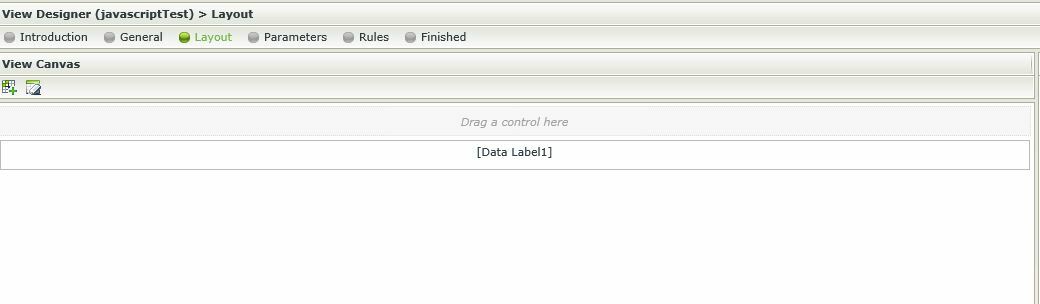
The view is a very unassuming in Edit Layout mode: 


Save and view in runtime.


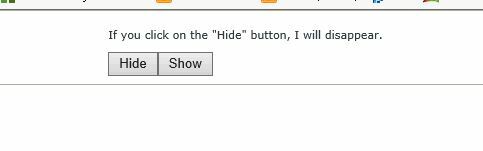
Runtime: 


Clicking the button will make the text hide, which means jQuery is working. 


I did not test MegaMenu.


Also I only tested that jQuery works, I did not have the jQuery code interact with anything outside of the code that I inserted. Every part of the code that I put in is self contained and only affects items inside it's own context. If you would like to get more elegant with your solution I recommend that you look into using a custom control


But just to answer your first question, "Is it possible to utilize custom JavaScript Libraries within a SmartForm, without the need for creating a custom control?" The short answer is Yes it is Possible.  To create something that interacts with more controls and functions in the smartform? I don't know. Please try it out and post your results. 


Chadg


Forum|alt.badge.img+7
  • January 7, 2016

  • June 13, 2018