

Nintex Community Menu Bar

Text editor as a pop up window

  • March 17, 2019
  • 2 replies
  • 48 views

Forum|alt.badge.img+6

Hi all,


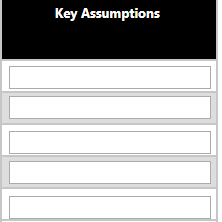
In the below image i have my desgin which has several text boxes connected to single line of text columns.

My requirement is to pop up a textbox window wehenever they try to enter something in the text box or view entered data in the text box. Like a tool tip, but tooltip comes in a line. i want it to come in dialogue box so that it is easy to read and edit 


1004i10ADC2C192A0A3FF.png


Regards,

Hema

2 replies

Forum|alt.badge.img+7
  • March 28, 2019

Hello Hema,


it is possible to display fields based on data entry but I'm not sure what you are trying to achieve.  Can you please fill in your screenshot with some example data and an example pop-up that you would like to see?


Kind Regards,

Francois


Forum|alt.badge.img+11
  • Nintex Partner
  • March 28, 2019

Hi,

For a popup help window, a colleague used the following JaveScript snippet in the Client Click of image button:

NWF$("#How_help").dialog({    title: "How",    hide: {        effect: "fade",        duration: 300    },    maxHeight: 400,    minWidth: 500,    modal: false});

The Rich Text field has JavaScript client ID "How_Help"....... For entering text something similar is possible, however you need to include extra JavaScript to pass the entered text back to the Nintex Form.



