Nintex Community Menu Bar

Can't edit nintex workflow

  • October 17, 2019
  • 8 replies
  • 88 views

Forum|alt.badge.img+1

Hello.

My problem is this.

When I go to Workflow Inventory and try to open a workflow it won't open it ends in a error.

But when i try to run a new item that uses the wf it runs ok.

I just cant seem to open it and edit it for some reason unknown.


I even tried the remove nintex form site features and turning it back on it still won't open.

My admin tried to copy the wf via shell but it errored.


Can anyone help me?

8 replies

Forum|alt.badge.img+12
  • Scholar
  • October 17, 2019

@aikukt ....did you check the permissions in "Allowed Nintex Designers"?


For creating/modifying the workflow you need atleast designer permission, for starting the workflow on an item you can do with edit/contribute permission.


Forum|alt.badge.img+1
  • Author
  • October 17, 2019

@kunalpatel I'm the site admin, and I also made the workflows on the site.


Forum|alt.badge.img+12
  • Scholar
  • October 17, 2019

@aikukt .....what's the error message you're receiving?


Forum|alt.badge.img+1
  • Author
  • October 18, 2019

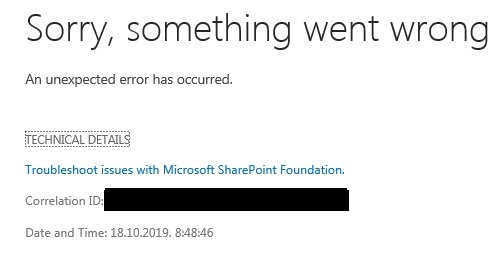
@kunalpatel I'm getting this error.

5009iFA43FE29432AF3F9.jpg


Forum|alt.badge.img+12
  • Scholar
  • October 18, 2019

@aikukt ....That error won't tell anything.....you need to reach out to your SP Admins and ask them to merge log for that correlation id and for that time range. You need to analyze those log first.


Forum|alt.badge.img+1
  • Author
  • October 21, 2019

@kunalpatel This would be the summary of the log:

An error occurred rendering this summary.: System.Threading.ThreadAbortException: Thread was being aborted.


    --- End of inner exception stack trace ---     at Nintex.Workflow.Activities.Adapters.GenericRenderingAction.Nintex.Workflow.Activities.Adapters.IActivityPreview.Render


Nintex.Workflow.NWRenderWorkflowException: Error rendering workflow.


Forum|alt.badge.img+12
  • Scholar
  • October 22, 2019

@aikukt .....it seems this could be related to some server issue. Please work with your admins to get more details using verbose logging and re-crate the issue at the time of gathering verbose logs.


Forum|alt.badge.img+1
  • Author
  • October 22, 2019

We reset the server but still the same.

I managed to get one old version to open so I'm reconstructing the whole workflow, but this time I'm going to make it in smaller size (less actions per workflow).

Thank you for your help @kunalpatel