




Microsoft has drawn a line in the sand. With the deprecation of the SharePoint 2013 Workflow Engine and end-of-support dates landing between April and July 2026, organizations running Nintex for SharePoint need to act. The question isn't whether to move, but how quickly you can get started.
If your organization needs to stay on-premises, the path forward with Nintex is clear:
Nintex Automation K2.
This Isn't New News
Nintex has been shouting from the mountaintop about this for a while now. Through webinars, blog posts, FAQs, and account conversations, we've done everything we can to make sure you know what's coming. We've published detailed resources to help you evaluate your options and build a migration strategy. Here's what's out there:
Microsoft End of Support covers the specific deprecation dates, the real risks of inaction, and Nintex's migration options including K2 for on-premises, Nintex Automation Cloud Edition for cloud, and hybrid approaches.
Powering the Future of On-Premises Automation with K2 makes it clear that K2 is a core strategic platform with active engineering investment, ongoing innovation, and a growing partner ecosystem, not a legacy product on life support.
Nintex SharePoint to K2 Migration FAQs is the deep technical resource covering architectural differences, SmartObjects, data storage options, K2 forms versus Nintex Forms, permissions, and a recommended four-phase migration approach.
The Risk of Doing Nothing
Here's an important nuance. Your “on-premises” Nintex for SharePoint workflows and forms aren't going to suddenly stop working when Microsoft's deadline passes. They'll continue to run as long as the underlying SharePoint on-premises environment supports them. The real risk is what comes next. If Microsoft pushes a SharePoint update that breaks their on-prem workflow engine, there is nothing Nintex can do to fix that. Nintex will no longer be pushing code updates for Nintex for SharePoint. We'll give it our best shot at supporting you, but our hands are tied when it comes to problems caused by changes Microsoft makes to SharePoint itself. Continuing to run Nintex for SharePoint means running it at your own risk.
Why K2 Is More Than a Replacement
Nintex Automation K2 isn't a lateral move; it's a platform upgrade. Where Nintex for SharePoint locked your workflows and forms inside the SharePoint ecosystem, K2 lifts you out. It's a standalone enterprise platform with its own workflow engine and infrastructure. You still integrate with SharePoint lists and libraries in a familiar way…
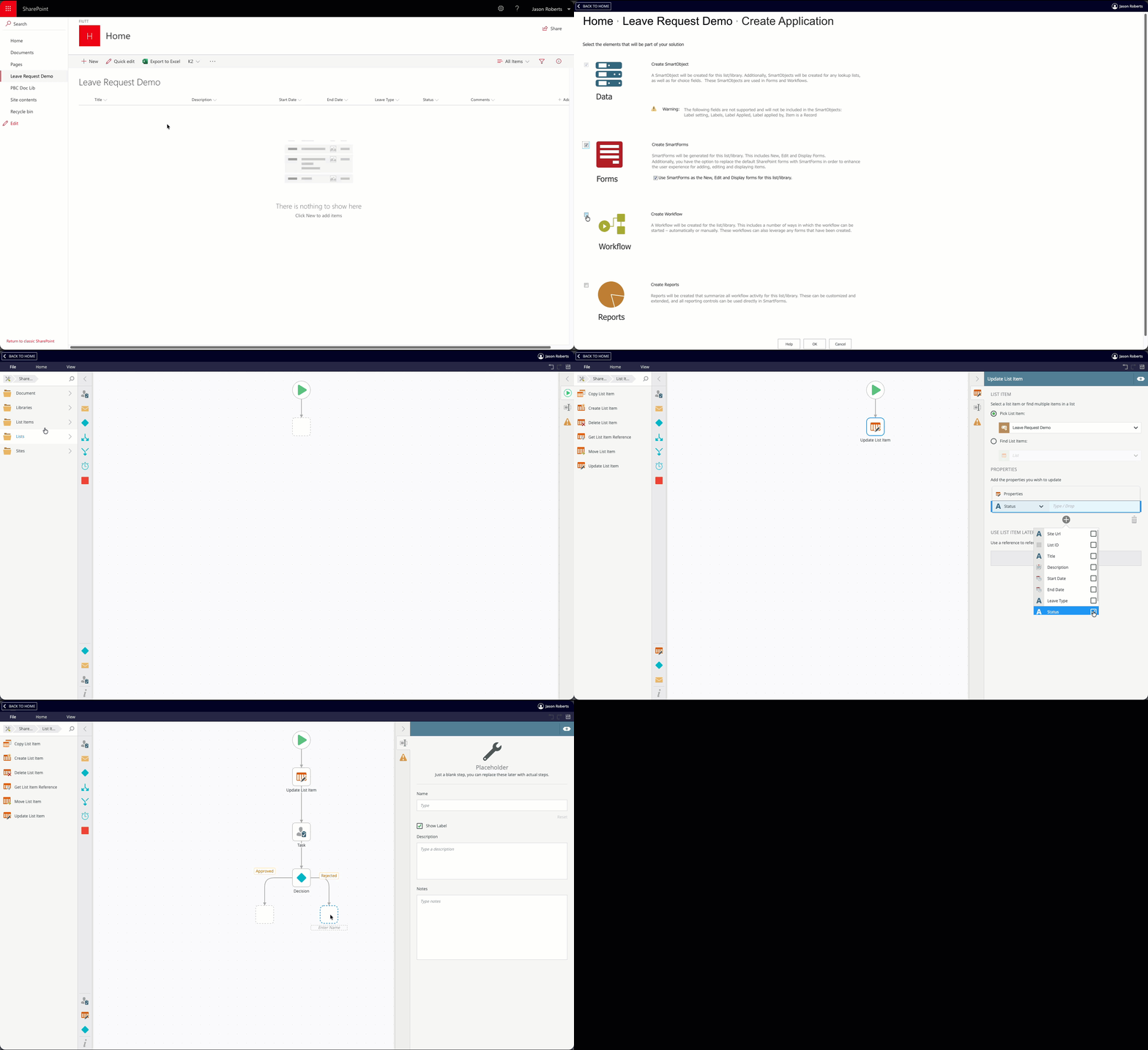
...but now you also get SmartForms for building rich application interfaces, SmartObjects for connecting to SQL databases, ERPs, CRMs, and web services, and the ability to build full applications with dashboards and portals that go well beyond what SharePoint could offer.
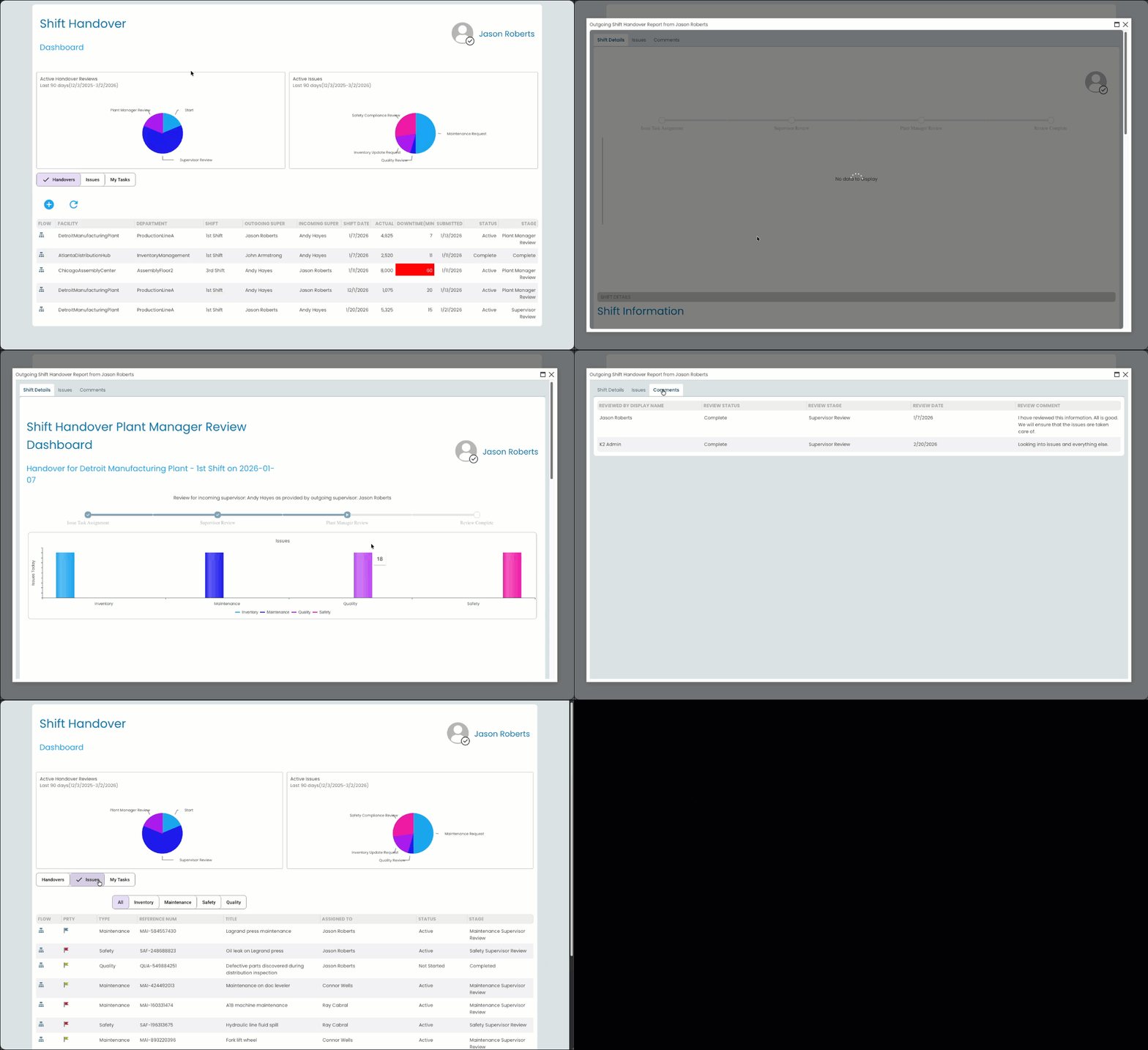
Because K2 is an enterprise platform, it requires proper installation and configuration, not something you simply bolt onto SharePoint. We strongly recommend engaging with the Nintex professional services team to guide the setup when you get to that point. They've done this hundreds of times and it's an investment that pays for itself.
For customers with cloud flexibility, Nintex also offers Nintex Automation Cloud Edition. But this article is for those who need to stay on-prem, and K2 is built exactly for that.
Using the K2 Workflow Importer
Once K2 is running, the K2 Workflow Importer accelerates your transition. It's not a one-click migration, it's an accelerator that gets you partly there so you can focus on optimizing rather than rebuilding from scratch.
Step 1: Extract Your Workflows
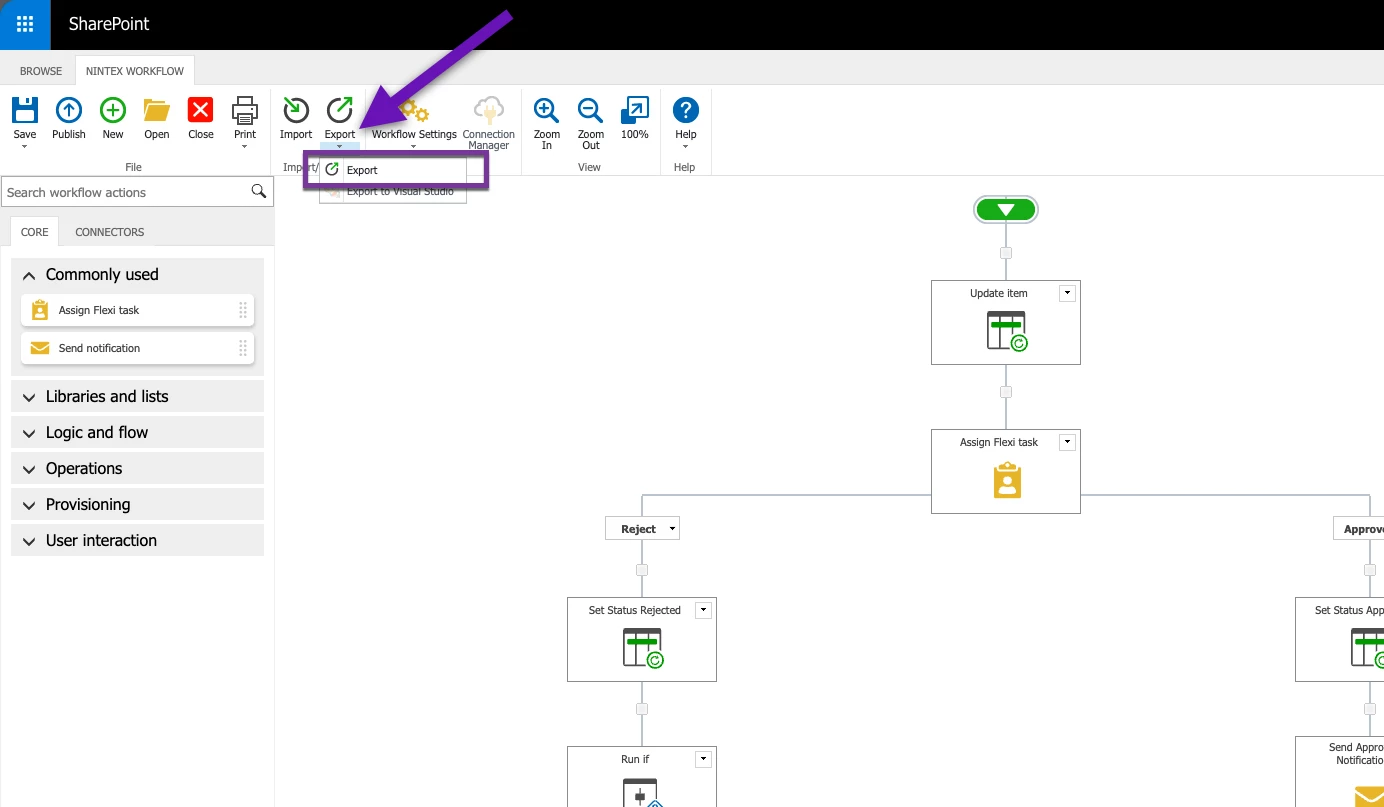
Run the Nintex for Sharepoint extraction PowerShell script or export workflows individually from Nintex for SharePoint.
Step 2: Prepare Your K2 Environment
Set up the K2 for SharePoint app, a target list or library, and a corresponding K2 application with SmartObjects. This gives the importer the artifacts it needs to map your workflows correctly.
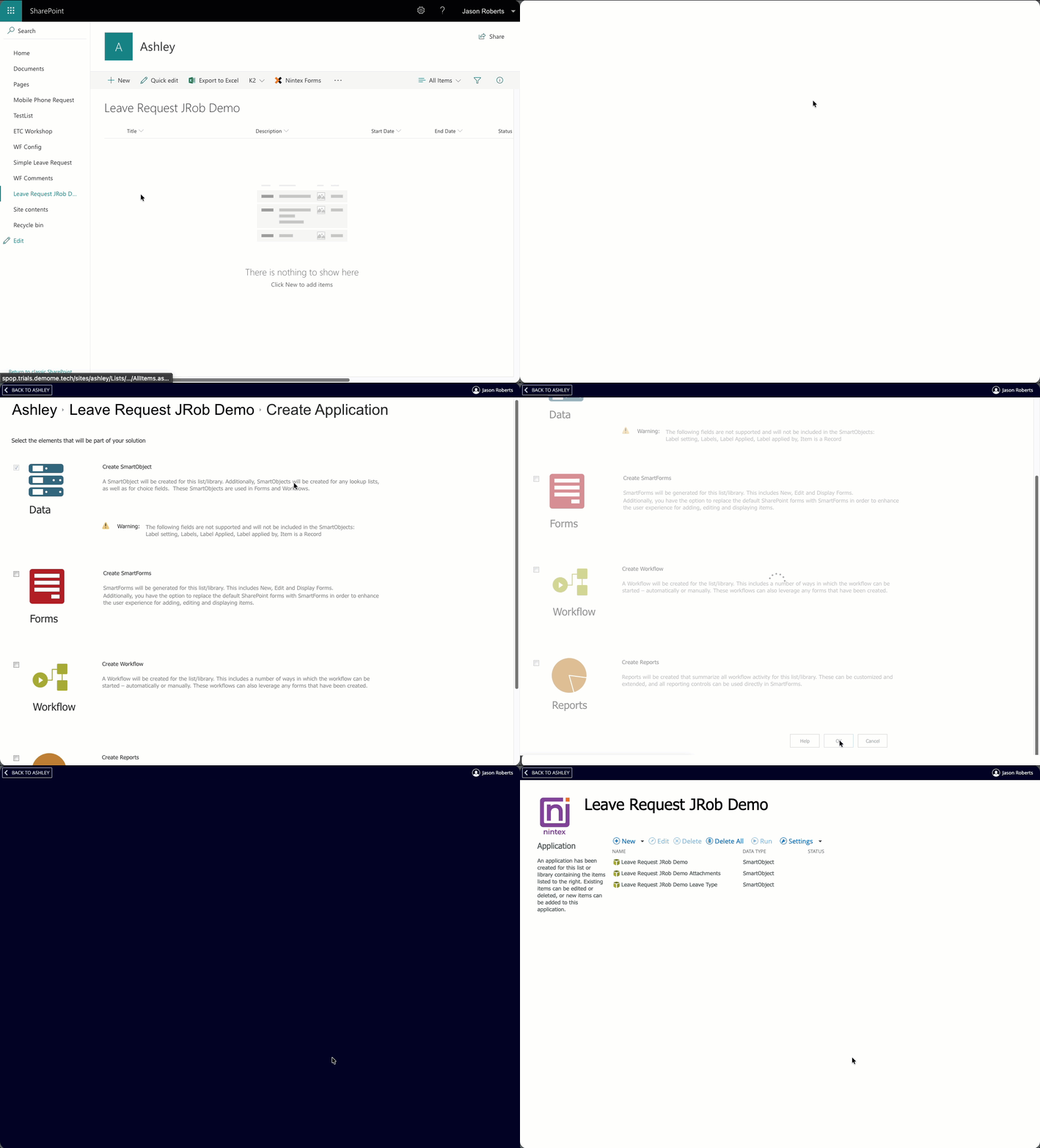
Step 3: Run the Importer
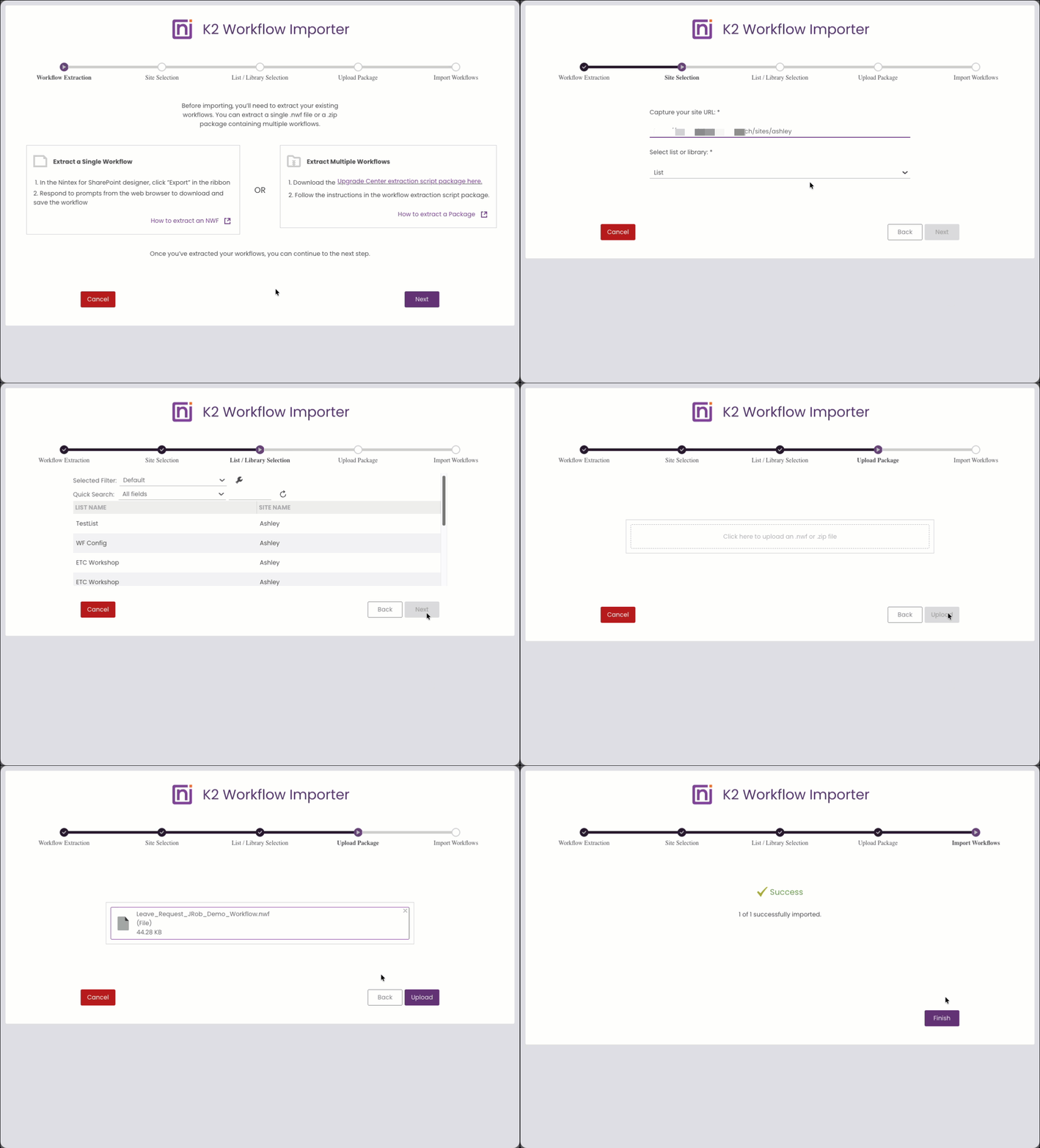
In the K2 Designer, navigate to the K2 Import Workflow Main form. This form is built into K2 Five version 5.9 for you. (Hint: In K2 Designer categories, search for “k2 import workflow main” to find the form.) Select your SharePoint site collection or subsite, choose the target list or library, and upload your packaged workflow files as .nwf or .zip files.
Step 4: Review and Validate
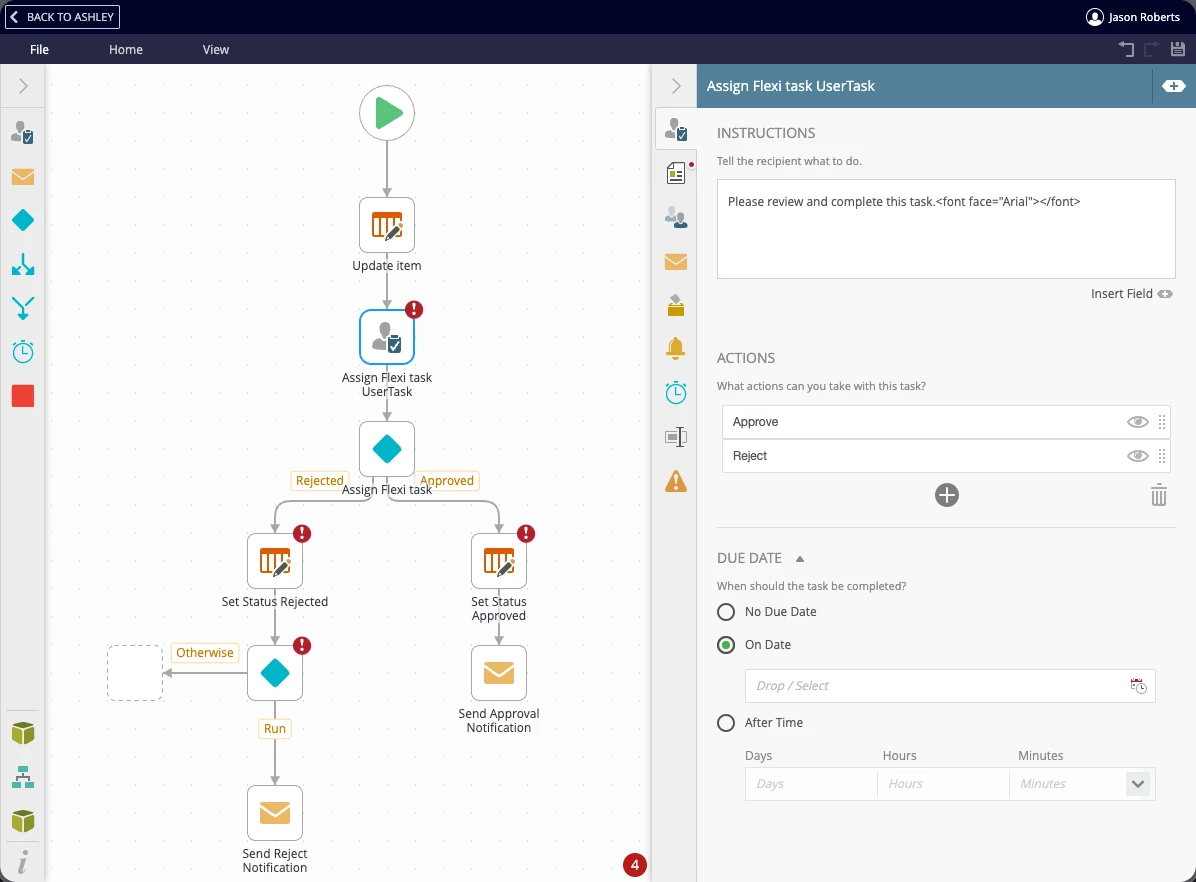
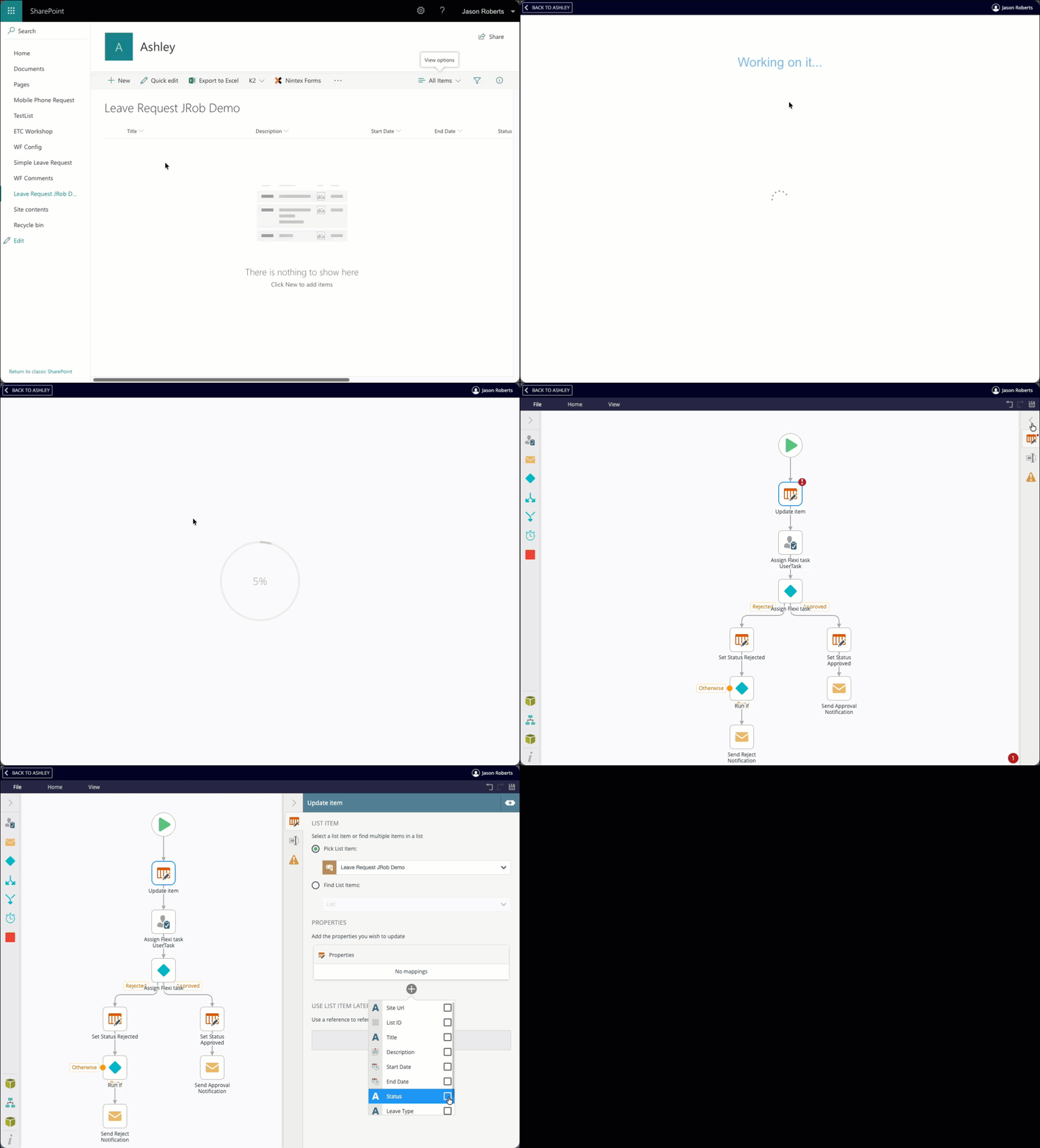
The importer maps supported actions to K2 equivalents, so task assignments, approvals, notifications, conditional logic, variables, and timers carry over largely intact, but you will need to review the configuration as it gets you part of the way there. Unsupported actions appear as placeholders noting the original Nintex action name.
Step 5: Configure and Deploy
Open your imported workflow, resolve any flagged dependencies, and take the opportunity to improve your processes using K2's powerful toolset. Once clean, deploy.
Nintex Forms
As of the publication of this article, Nintex Forms do not have an automated importer. Rebuilding in SmartForms takes hands-on effort, but many customers find it's a chance to dramatically improve their user experiences.
Get the Conversation Started
We've been raising the alarm for quite a while and the deadline is no longer distant. The resources are ready, the migration tools are built, and our professional services team and partners are standing by, but know that it is a first come first serve effort for a professional services engagement now. Reach out to your Nintex account team to schedule a discovery call. We'd rather help you plan your move today than troubleshoot a crisis tomorrow.