




Steps:
Why do we need to set Robot Resolution?
In RPA, there are two ways to approach development:
- Visual Recognition
- Advanced Commands
Visual Recognition requires consistency of screen resolution across the development, UAT and Production environment. Kryon uses a patented technology of intelligent image recognition and analysis. This enables automation on any application, regardless of the underlying technology.
Kryon robots detect images and text based on what can be visually seen on the screen. It uses search area with the following options:
- Click
- Click, Stripe
- Click, Stripe, Full
What resolution should I use for automation?
As a best practice, it is recommended that a team of people should come together in deciding the resolution settings that works best for the organization’s applications requiring automation.
Once that has been decided, resolution settings should be the same across all development, UAT and Production environments.
How do I set-up robot resolution?
There are two ways to set up robot resolution in Kryon:- Configuration File
- Kryon Admin
As a best practice, we should always opt to set up the resolution using Kryon Admin.
Why? If there are 100 robots in an organization, it becomes difficult to maintain them. Hence, we should endeavour to have a single point for configuration changes.
Change from Configuration File
- Go to C:Program FilesKryon RobotConfigappSettings.config
- Open the config file in notepad
- Find “DisplayResolution”
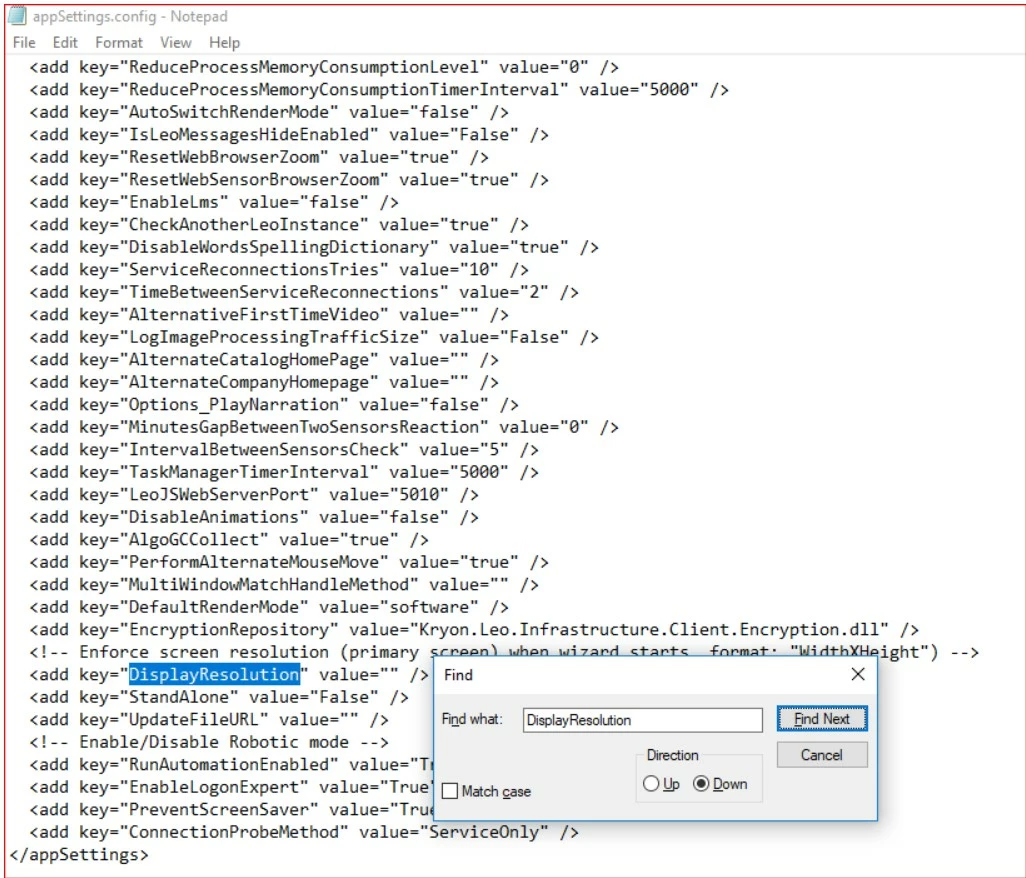
- Add the width and height to value with the following format:
<width>x<height>

Note: Do not use "*" instead of "X". The "X" is not case-sensitive.
- Restart the Robot
Change from Kryon Admin
- Launch Kryon Admin
- Go to the Client Configuration tab after selecting your company
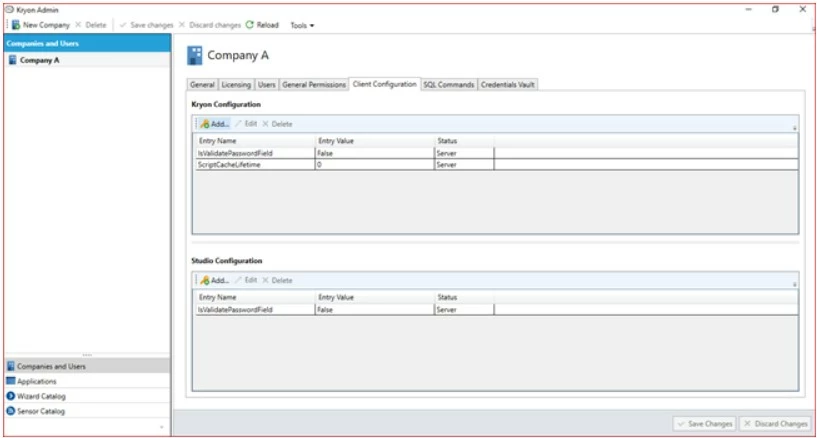
- Click the Add button under Kryon Configuration.
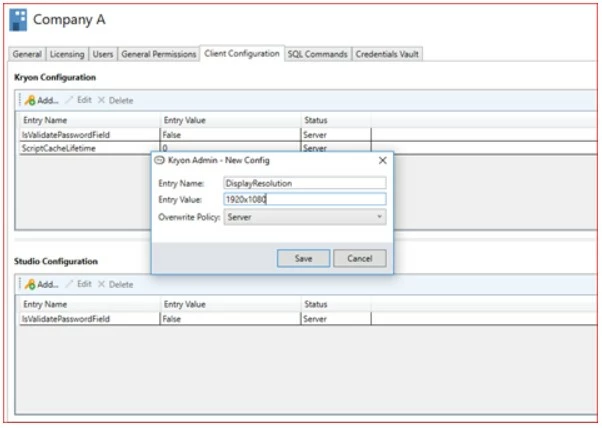
- Input the following details and click on Save.
Entry Name = DisplayResolutionEntry Point = 1920x1080Overwrite Policy = Server
Note: Do not use "*" instead of "X". The "X" is not case-sensitive.
-
Restart the robot
Note: The resolution is set at the point of robot startup, not when a task starts.