




Hi everyone! 👋
If you've been hearing the word "Orchestration" floating around lately, today's the day. We're opening it up to all customers, and I wanted to give you a proper walkthrough before you dive in.
So, what problem does it solve?
Here's the honest truth about a lot of business processes: they don't behave the way flowcharts suggest they will.
You build a workflow for employee onboarding, a customer claim, or a vendor approval. It works great, right up until reality intervenes. The case needs to go back a step. A new event changes the context. Two teams need to be working on different parts simultaneously.
Before long, you're adding branches on branches, or spinning up a separate workflow to handle an exception that probably wasn't that exceptional.
Orchestration is built for exactly this kind of process, and it's grounded in a case management approach.
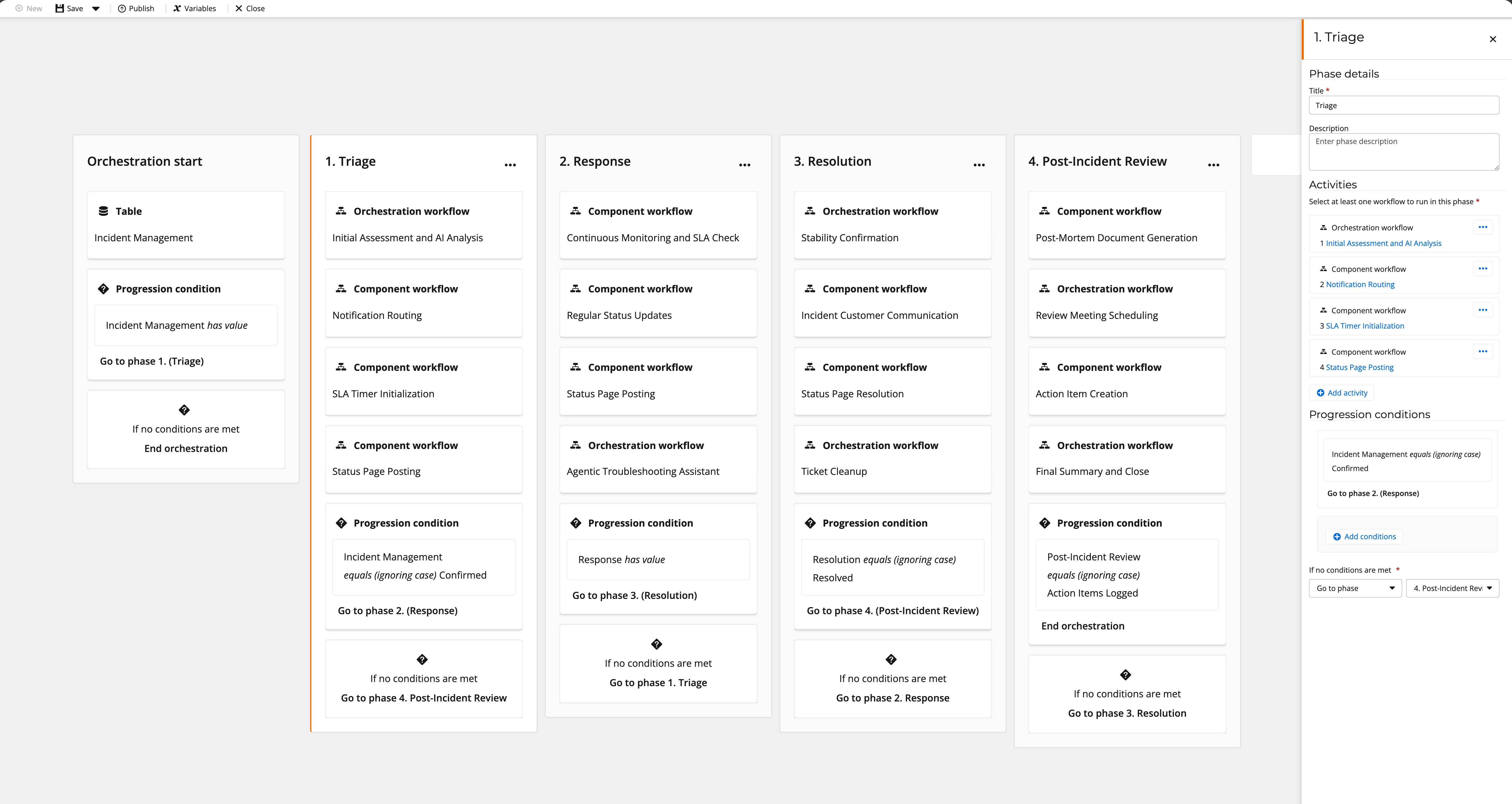
What is case management?
Case management is a way of thinking about work where the focus is on a single case moving through its lifecycle, rather than a fixed sequence of steps completing in exact order.
A case could be a customer request, an insurance claim, a supplier onboarding, or an employee investigation. What these have in common is that they evolve over time. Decisions get made, new information comes in, and the process adapts.
Orchestration supports this by letting you divide your process into phases (logical stages like Intake, Review, Approval, Closed) and letting the case move forward, backward, or repeat based on what's actually happening. All phases share the same live context data, so everyone touching the case is always working from the same picture.
When should I use Orchestration vs. Workflows?
This is the question I get most, and the answer is pretty clean once you see it.
Use Orchestration when:
- Your process spans multiple teams or systems and you need visibility into where a case is at any given moment
- The path isn't strictly linear and cases might loop back, skip ahead, or branch based on decisions you can't fully predict upfront
- Auditability matters and you want a clear record of how a case progressed, not just that a workflow ran
Stick with Workflows when:
- You're automating a specific contained sequence of work
- Simple, repeatable automation is all you need
- The process is predictable and the steps don't really change from one run to the next
The short version: Orchestration manages the process. Workflows do the work inside it. They complement each other.
Ready to try it?
From April 20 2026, Orchestration is available to all customers in open beta.
The Introduction to Orchestration and Work with Orchestrations courses on Nintex University are worth your time if you want a solid foundation first.
Drop any questions below. Happy to help you think through whether Orchestration is the right fit for something you're working on.
